

You've just learned a procedure's changing, an auditor's visit is coming, or a new cohort starts on Monday. The training must be updated, consistent across sites, and defensible if anyone asks who approved it. Filming it properly sounds slow. Filming it quickly sounds risky. That's the practical tension modern training teams now have to resolve.
Table of Contents
- Why Corporate Training Video Production Matters Now
- The Three Main Production Approaches
- How the Production Workflow Unfolds
- Compliance and Governance in Video Training
- Vendor Versus In-House Production
- Real-World Applications Across Sectors
- Measuring Training Transfer Beyond Completion
- Building Your Production Decision Checklist
Why Corporate Training Video Production Matters Now
A training manager in a regulated business often faces the same week. A safe system of work changes on Tuesday, managers need the update before the next shift pattern, and the old slide deck can't show what correct behaviour looks like. A traditional shoot means finding a location, a crew, staff who can leave the floor, and time for edits and approvals. By the time it's finished, the procedure may have moved again.
That gap explains why corporate training video production has changed. It's no longer only a studio craft built around camera days. It's increasingly an authoring discipline built around a vetted script, repeatable media assembly, and deliverables your learning management system can track. The film still matters, but the evidence around it matters just as much.
Ireland illustrates the scale of the audience. In 2022, 52.1% of people aged 25 to 69 participated in lifelong learning, compared with an EU average of 43.5%, according to Central Statistics Office data on staff training and education in Ireland. Among employed people, participation reached 62.0% in the same CSO release. Training isn't a side activity in that context. It's routine operational work, and routine work needs a production method that survives repetition.
The Decision You're Actually Making
You're not choosing a nicer video. You're choosing how you'll balance speed, cost, realism and compliance every time content changes. A beautiful film that can't be updated cheaply becomes a liability. A fast film with no approval trail creates a different problem when an auditor asks which procedure version it teaches.
Choosing between a bespoke suit, a good off the peg suit you can alter, and workwear designed to be replaced in parts. Each has a place. The useful question is which garment this lesson needs, how often it'll be worn, and who'll maintain it. By the end of this guide, you'll be able to judge production approaches, follow a workflow from brief to LMS, assess governance evidence, and decide whether a vendor, an in-house team, or a hybrid model fits your workload.
The Three Main Production Approaches
Most confusion starts because people compare styles when they should compare jobs. A format that's excellent for showing a physical judgement can be wasteful for explaining a data flow. Start with what the learner must do differently, then pick the approach that makes that behaviour visible.
The comparison below summarises the three approaches you'll meet most often.
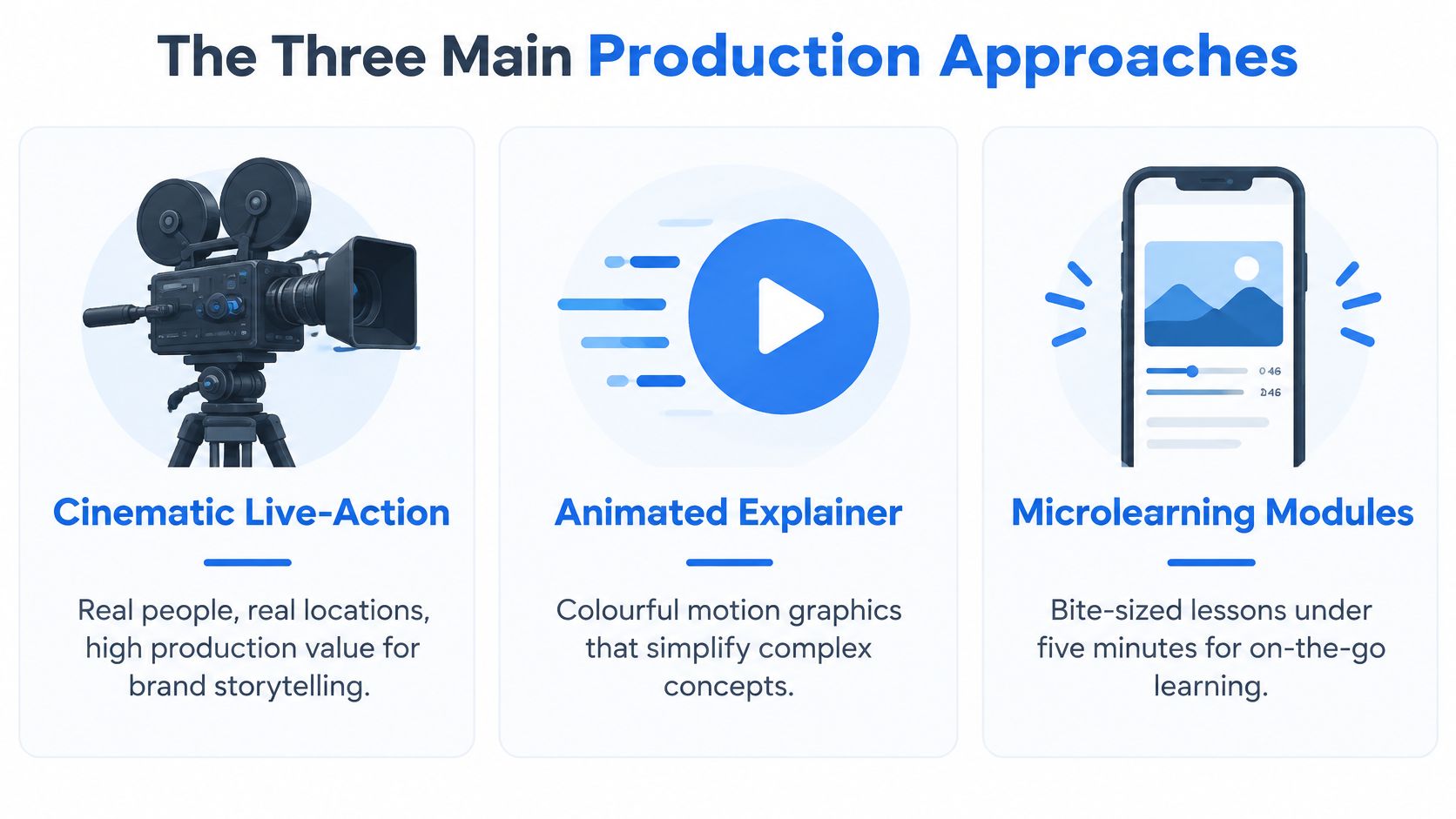
Cinematic Live Action
Cinematic live action uses real or realistic people, places and consequences. It's the feature film end of the spectrum, scaled down for training. Use it when learners must recognise tone, body language, hazards, equipment, or the moment a routine task starts going wrong.
A supervisor challenging an unsafe lift, a nurse escalating a concern, or a contact centre agent handling a distressed caller all benefit from faces and context. Learners can see hesitation, pressure and correction, not just hear a rule. The limitation is change. If uniforms, premises, presenters or procedures change, tightly shot footage can be harder to revise. That's why the choice discussed in this comparison of AI avatars and human presenters for training video matters when you're weighing realism against update speed.
Animated Explainer
Animation works like a whiteboard with better manners. It removes the physical world so learners can focus on a system, sequence or abstract idea. You'll use it well for software logic, financial controls, data protection flows, or machinery internals you'd never film safely.
It's also useful when the real setting would distract, date quickly, or raise privacy concerns. The trade-off is emotional weight. Animated characters can explain a policy clearly, but they rarely reproduce the social pressure that makes someone stay silent about a hazard. Don't ask animation to prove physical technique it can't show credibly.
Microlearning Modules
Microlearning isn't really a visual style. It's a structure. You break a course into short, labelled chapters, each teaching one observable action and carrying its own check or reference material. Think short briefings rather than one long lecture.
That structure suits refreshers, just in time review, and targeted retraining after a small change. A learner can replay the isolation step without sitting through the whole course. It also helps production, because you can replace one module instead of rebuilding everything. The risk is fragmentation. If every clip stands alone with no narrative or practice connecting them, learners collect fragments but don't build judgement.
Choose cinematic production to show judgement in context, animation to make the invisible clear, and microlearning to make revision and retrieval easy.
How the Production Workflow Unfolds
A reliable workflow feels less like film making and more like building with a good set of drawings. Each stage produces something the next stage depends on. When teams skip an early drawing, they don't save time. They move the argument to the edit, where it's more expensive.
The five stages below show the usual path from intention to a trackable learning object.
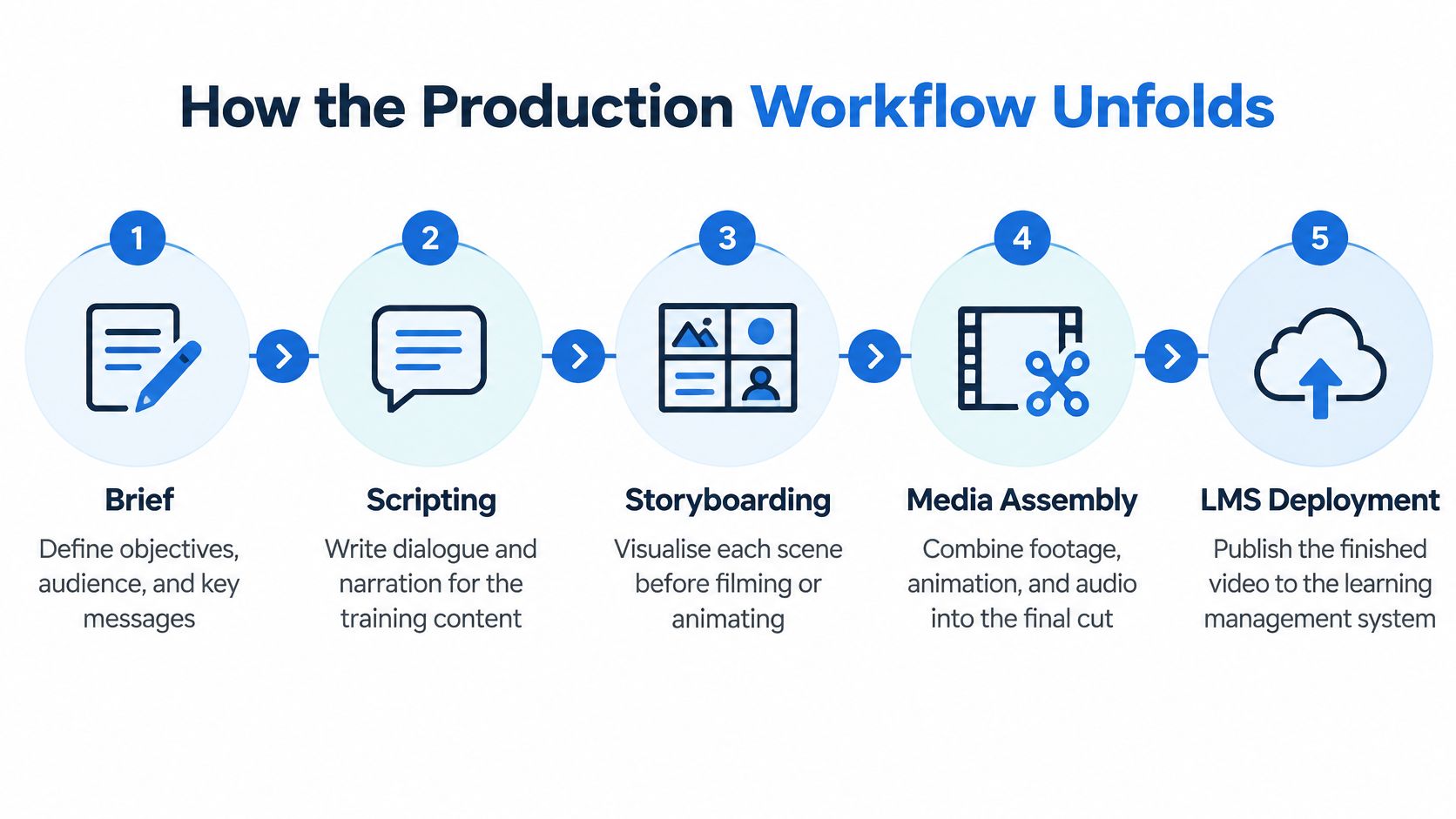
From Brief to Script
- Brief: State the audience, the task, the source procedure, the jurisdiction and the decision learners must make afterwards. A brief that says "cover manual handling" isn't enough. One that names the load, setting, common error and escalation route is workable.
- Script: Write narration, dialogue, on-screen text and assessment prompts together. The script is the backbone because it drives visuals, timing, captions and questions.
- Storyboard: Show each scene, shot and graphic before production. Reviewers can spot a missing guard, wrong sign or unclear hand position while changes are still cheap.
Get the subject expert to approve script and storyboard as a pair. Approving words alone leaves the pictures untested. Approving pictures alone leaves the explanation vague.
From Assembly to LMS
Media assembly combines narration, footage or animation, graphics, captions and music into an editable timeline. Ask for labelled assets, not a single mystery file. Separate narration, on-screen text, visuals and questions mean a policy line can change without rebuilding the whole course. In an AI-assisted pipeline, that authoring plan connects more directly to the timeline, so the handoff pack becomes an organised starting point rather than a pile to sort.
Deployment is where many good videos become weak training. Treat the finished module as an LMS learning object. Add chapter titles, captions, a transcript, downloadable references and assessments attached to the relevant segments. Check browser playback, completion reporting and scoring before launch, not after learners complain.
That modular habit matches how people already learn online. In 2024, 49% of internet users used online learning materials including audiovisual materials and video tutorials, up from 36% in 2023, according to CSO data on online learning in Ireland in 2024. In the same release, 40% of people at work reported taking an online course. Your learners don't need persuading to press play. They need content that's easy to find again, in the right chapter, on the device in front of them.
Compliance and Governance in Video Training
Compliance is where generic video falls apart. A polished film about safety in general may teach none of your controls in particular. Governance is the layer that connects every scene to a source document, a named approver and a version you can retrieve later.
The checklist image below reflects the review mindset you need before production, not after it.
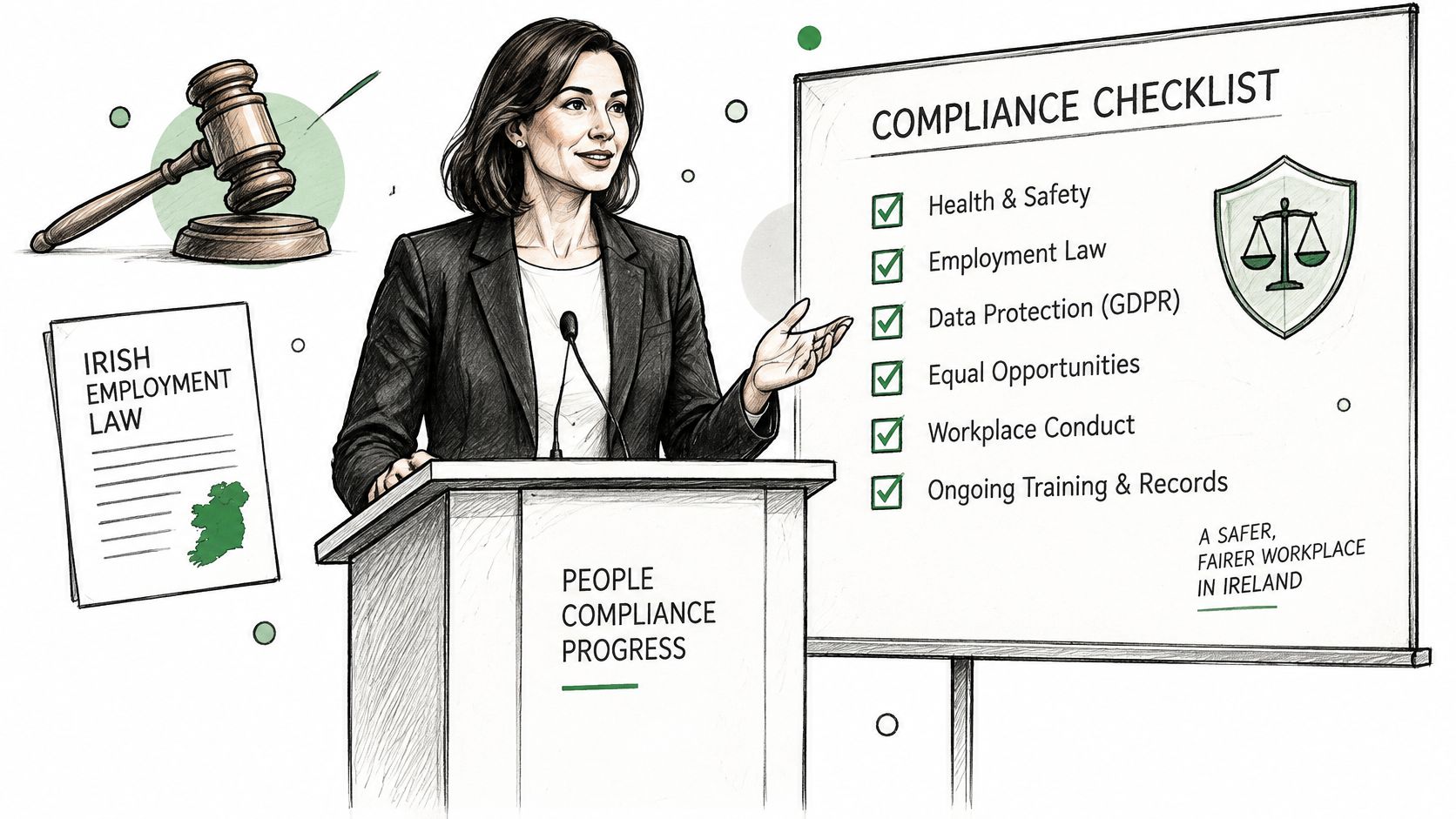
Ireland's Health and Safety Authority requires occupational safety and health training to be adapted to specific workplace risks and delivered in a form, manner and language employees can reasonably understand, as set out in HSA guidance on procuring occupational safety and health training. That single requirement reshapes production. You start from the client's risk assessment, safe system of work and jurisdiction. You don't start from stock footage and add a logo.
What Auditable Production Looks Like
- Task specific scenarios: Show the actual hazard, control and escalation decision, not a decorative workplace montage.
- Plain language access: Use clear narration, captions or transcripts, and multilingual variants where your workforce needs them.
- Traceable approval: Keep version-controlled scripts that link each learning objective to the relevant procedure or hazard.
- Evidence of understanding: Include knowledge checks and LMS compatible completion data, with records you can produce during review.
The HSA also expects employers to assess whether training has been understood, evaluate the programme and keep training records. If those elements are bolted on at the end, they'll feel thin. If they're written into the script pack, an incident-driven revision becomes a controlled edit rather than an archaeological dig.
The short video below is useful to watch with that evidence question in mind.
AI use creates a newer version of the same problem. Many courses explain a tool but don't teach which data staff may enter, when human review is mandatory, or how errors are reported. That gap is why teams should read guidance on AI hallucinations in training content alongside their policy, then script AI training as a governed workplace procedure with role specific decisions and documented references.
Vendor Versus In-House Production
Neither route is automatically cheaper or safer. The right answer depends on volume, risk, update frequency and whether your internal team can finish work to an auditable standard. Be honest about capacity. A talented designer with no editing time isn't an in-house production capability.
| Criteria | Vendor | In-House |
|---|---|---|
| Speed | Fast when the process is governed and repeatable | Fast for small updates, slow when staff are pulled away |
| Expertise | Brings scripting, media and compliance craft together | Knows your brand, people and procedures closely |
| Control | You control brief, approval and final sign-off | You control every file and daily priority |
| Cost shape | Project cost, clearer for defined scope | Salaries and tools continue in quiet months |
| Maintenance | Depends on asset handoff and update terms | Easier if source files and skills stay available |
| Risk | Weak briefs produce generic work | Limited capacity leaves courses unfinished |
Where Each Model Struggles
Traditional bespoke production can be slow because every change reopens casting, locations, shooting and editing. A governed vendor using reusable assets and a structured handoff can compress that path, especially when you need a fully finished course rather than raw material. The saving only holds if the vendor gives you scripts, labelled media and update rights. Without those, you've bought a finished film and rented your own future revisions.
In-house teams offer familiarity and quick access to experts. They struggle when video is everyone's second job. Projects stall at review, captions get rushed, and version control lives in someone's downloads folder. Quality also varies when each department invents its own template.
The hybrid option often solves the constraint. You can commission an editor-ready pack with script, storyboard, narration and organised media for internal finishing, or commission the complete production end to end. If you're comparing external partners, this overview of choosing an elearning development company helps you test capability beyond a showreel.
Decision rule: Keep frequent, low-risk updates in-house if you have templates and time. Commission high-stakes, high-volume or audit-sensitive work where specialist craft and documented review reduce your exposure.
Real-World Applications Across Sectors
Sector context changes what good looks like. A construction induction, a hospital refresher and a sales role-play may all live on the same LMS, but they don't need the same scenes, assessments or update cycle.
Irish participation data shows where recurring demand concentrates. Participation in lifelong learning reached 81.0% in human health and social work, 79.0% in education, 77.0% in financial, insurance and real-estate activities, and 73.0% in information and communication, according to the CSO staff training release cited earlier. Those are sectors full of onboarding, policy, technical and regulated practice, so reusable video libraries make operational sense.
Safety Critical and Operational Work
In manufacturing, construction, engineering, logistics and facilities, video earns its keep by showing sequence and consequence. Film the isolation point, the exclusion zone, the handover, the near miss. Then pause and ask what the worker should do next. Branching responses let learners practise escalation without putting anyone near the hazard.
The historical training burden is considerable. In 2015, employees who attended training spent an average of 19.4 hours in courses, and 30% of that time was devoted to health and safety, according to CSO continuing vocational training data for 2015. The same release reported that 77% of private-sector enterprises provided training. Standardised, repeatable video helps you deliver that recurring safety instruction consistently without rebuilding a live session for every shift.
People Facing and Knowledge Work
Customer service, hospitality and sales teams need conversation, not only procedure. A cinematic scenario can show the helpful response and the compliance failure inside one story. A guest complaint, a vulnerable customer, a misleading sales claim, each turns on wording and judgement. Role-play prompts after the scene give managers something observable to coach.
Health, finance and technology teams often need a blend. Animation can explain a records flow or an AI approval chain. Live action can show the handover conversation where that flow succeeds or fails. Match the medium to the error you're trying to prevent, and the sector examples stop feeling interchangeable.
Measuring Training Transfer Beyond Completion
A completion report tells you a file was opened and finished. It doesn't tell you whether a worker can spot a hazard under time pressure, challenge a colleague politely, or choose the correct escalation route. Treating completion as competence is the most common measurement mistake in training video.
The learner in the image below has finished. That isn't the same as being ready.
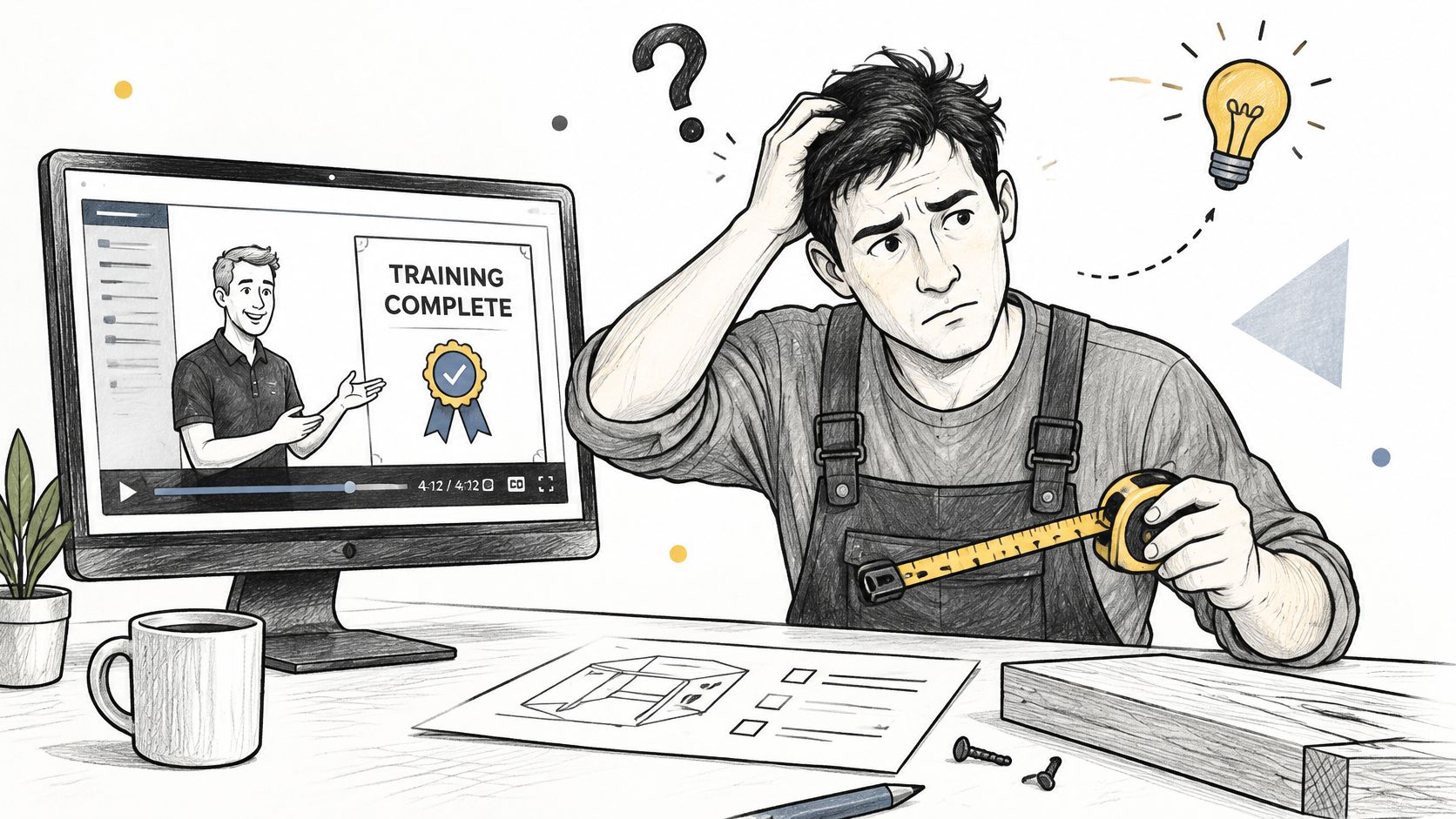
Reach is easy to count. The Health and Safety Authority reported 83,234 courses delivered through its e-learning platform in 2025, alongside 24,497 new users of its BeSMART risk-assessment tool, in the HSA annual report for 2025. Those figures show scale. They don't show whether learners can apply a procedure on site. Your production plan has to close that gap deliberately.
Build Proof Into the Module
- Pre and post questions: Ask the same practical decision before and after teaching, so change is visible.
- Scenario choices: Present a realistic incident, let learners choose, then explain why each option is safe or unsafe.
- Observable criteria: Score answers against your procedure and risk controls, not against vague awareness.
- Supervisor prompts: Give managers a short observation task that connects the video to the job.
Realism alone won't do this work. An expensive-looking film can still produce passive viewing if learners never make a decision. It's like watching a skilled driver from the passenger seat. You may enjoy the journey, but nobody has tested your hands on the wheel.
Document the measurement plan with the script version. When a control changes, you'll know which questions, scenes and pass marks must change with it. That connection between completion data and behavioural evidence is what makes training defensible in an audit and useful on the floor.
Building Your Production Decision Checklist
Use this checklist before you request a quote or open an editor. It turns the earlier decisions into a brief another professional can price, review and build without guessing. If you can't answer an item, that's your first production task.
Define the Learning and the Evidence
- Name the behaviour: Write what learners will do differently, in one observable sentence per module.
- Attach the source: Identify the risk assessment, procedure, policy or jurisdictional requirement behind each objective.
- Plan the proof: Decide the scenario decision, knowledge check, pass standard and supervisor follow-up.
- Set the record: Confirm what completion and score data your LMS must capture, and who approves the final version.
Choose the Production Route
Next, match format to error. Pick cinematic scenes for judgement in context, animation for abstract systems, and short modules for review and targeted updates. Don't choose by fashion. Choose by what learners must see, decide or rehearse.
Then test capacity. Do you have scripting, editing, accessibility and review time in-house, or do you need an editor-ready pack or a fully finished production? Ask every supplier who owns source files, how updates are priced, and whether captions, transcripts and localisation are included. Those answers matter more than a glossy sample with no training evidence behind it.
Finally, plan for change on day one. Require version-controlled scripts, labelled assets, separate narration and on-screen text, and a review date owned by a named person. Build a longer course as chapters so one procedural change replaces one chapter. That's how corporate training video production stays useful after launch, instead of becoming another polished file nobody dares to touch.
If you need bespoke, cinematic training that's scripted from your procedures, reviewed for compliance and delivered ready for your LMS, Loresson can produce an editor-ready pack or a fully finished course for your team. Visit Loresson to discuss your brief and turn your checklist into training learners can use and auditors can trace.