

In Ireland, 40% of people whose principal economic status was "at work" completed an online course in 2024, according to the Central Statistics Office Household Digital Consumer Behaviour survey. Among people who undertook some form of online learning, 64% said its purpose was professional or work-related. That's the production brief for employee training videos. Your audience already learns this way, often on demand and at work. What slows you down isn't usually the camera or the edit. It's an unfinished script, an unnamed reviewer and a course built as one long film instead of short, reusable scenes tied to one observable job.
Table of Contents
- A Production Clock From Hours to One Week
- How to Brief and Script One Procedure
- Storyboards Narration and a Labelled Asset Folder
- Package the Course for the LMS and Audit File
- Measure Transfer Not Completion
- Choose Editor-Ready or a Finished Course
A Production Clock From Hours to One Week
Start with the clock, not the camera. A 30-minute course works best as three to six scenes of roughly three to eight minutes, each covering one procedure or one decision. That structure makes updates cheap. When a step changes, you replace one scene. You don't reshoot the whole module.
On a clean brief, I'd plan the 24-hour path as the default. Each phase has one owner, so L&D, the subject expert and the editor aren't waiting in a queue for each other.
Reading the Table by Owner
Production timetable for a 30-minute employee training video
| Phase | Owner | 24-hour path | Extends toward a week when |
|---|---|---|---|
| Brief and performance standard | L&D with subject expert | 2 to 4 hours | Role, site or jurisdiction is still undefined |
| Script lock | Writer plus qualified reviewer | 4 to 6 hours | Legal, HSEQ or procedure wording is still open |
| Storyboard and narration | Production | 4 to 8 hours | Multiple languages or a new visual world |
| Labelled asset folder | Production or editor | 3 to 5 hours | Footage, brand files or job aids arrive late |
| Expert sign-off | Suitably qualified person | Same day on the script | Safety, technical or compliance review starts after the edit |
| LMS package | Author or client LMS admin | 2 to 4 hours | Branching role-play, localisation or a new platform |
Those hours overlap only when the inputs are ready. Narration can run while graphics are prepared, but only after the script wording is frozen.
The Three Conditions That Justify a Week
Stretch to five to seven days only for a reason you can name in advance:
- Qualified safety or compliance sign-off: A suitably qualified reviewer needs time to check thresholds, emergency steps and legal duties line by line.
- Localisation: Translated narration, captions and on-screen text multiply review rounds, even when the pictures don't change.
- Branching role-play: Each decision point needs wrong and right paths, feedback lines and a pass rule, so scripting and testing grow together.
Anything else pushing you toward a week is usually a process fault, not a production reality.
Freeze the script before any picture work starts. An unlocked script edited in the timeline costs more time than every other delay combined.
The slips that turn a day into a week are predictable. Review gets booked after the edit instead of on the script. Procedure documents or brand files arrive halfway through. Two subject experts disagree about the correct sequence, and nobody owns the final call. Fix all three in the first four hours. Name the reviewer, request the files, and record who settles disputes. If those answers aren't available, say so in the timetable rather than promising a day and delivering a week.
Short modules also suit how the course will be used after launch. A supervisor can assign one scene after an incident. A new starter can replay one procedure on a phone before a shift. That reuse is lost when you deliver one unbroken film with no scene-level titles.
How to Brief and Script One Procedure
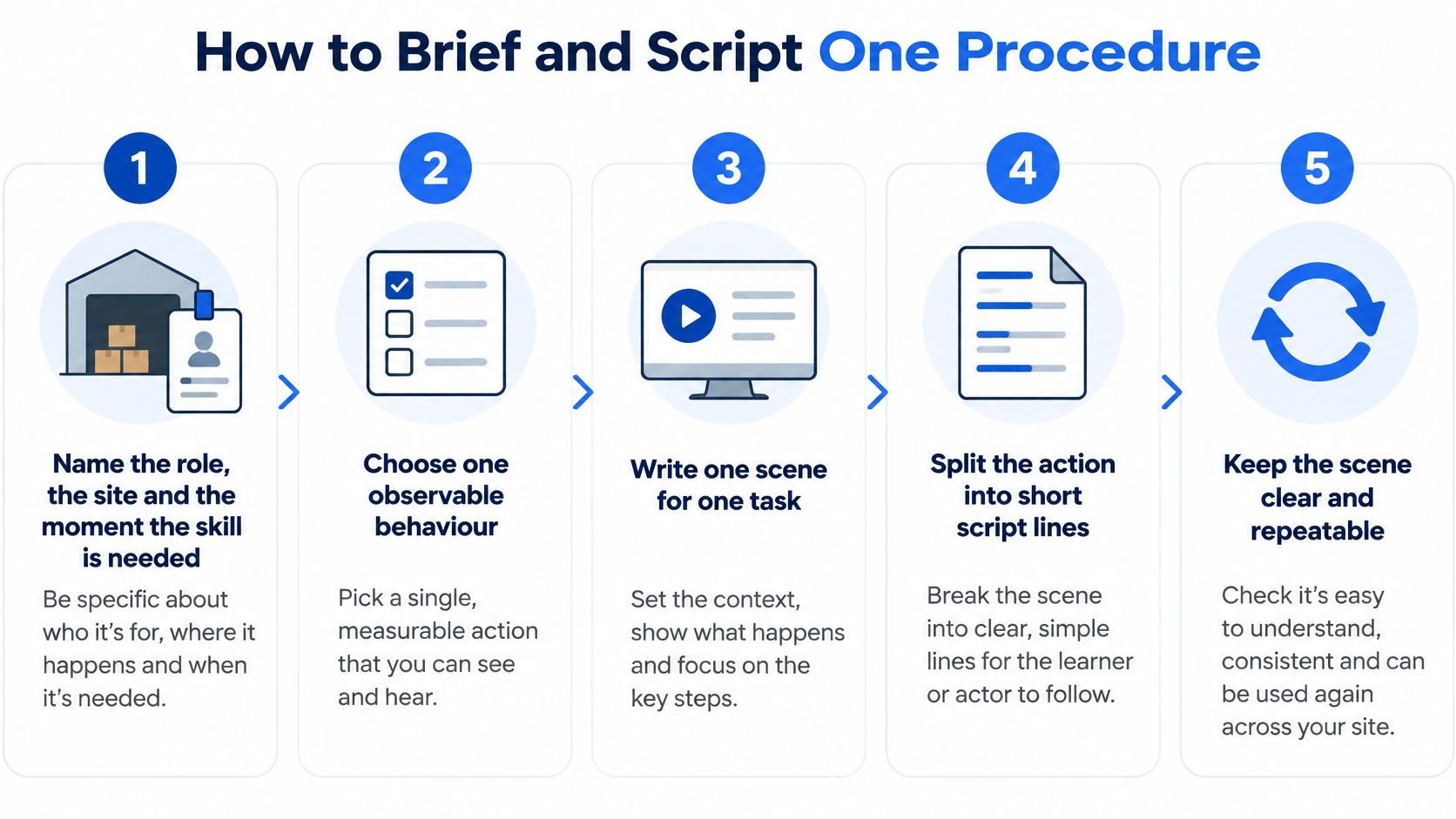
One scene, one observable behaviour. If you can't watch someone do it, you can't script it, assess it or sign it off. The method below gives you a script a reviewer can approve and an editor can cut without guessing.
The Six Steps
- Name the role, the site and the moment. Say a warehouse induction, a lone-worker check or a difficult customer conversation. A brief that says "all staff, general awareness" produces generic scenes nobody recognises as their job.
- Write the performance standard in plain language. State what the person does, in what order, and what must never happen. For a site induction, write "stop, isolate and report a spill", not "understand housekeeping". The first version can be observed. The second can't.
- Script one demonstration of three to eight minutes. Show correct practice first, then one realistic incorrect choice and its consequence. One mistake per scene is enough. More turns the lesson into a catalogue of errors.
- Keep spoken line, on-screen action and job aid in the same row. Narration, picture and handout can't drift apart if they're written together and versioned together.
- Flag every claim that needs a qualified reviewer. Thresholds, legal duties, isolation steps and emergency wording get marked in the script itself, not in a separate email thread.
- Lock version, date and owner before storyboarding. Any change after this point creates a new version, and the old one leaves the shared folder.
For customer-service role-play, apply the same discipline. Script the exact escalation line the employee should say, word for word, rather than offering a generic empathy tip. Learners under pressure repeat lines they've heard. They don't improvise from principles.
Script template for one procedure
| Scene | Spoken line | On-screen action | Job aid | Reviewer flag |
|---|---|---|---|---|
| Scene 1 | Stop, isolate the spill, then report it | Learner stops and isolates the spill | Spill-response card | Yes, if a threshold or legal duty is named |
| Scene 2 | Exact escalation line for a difficult customer | Wrong choice, then correct escalation | Escalation script | No |
| Scene 3 | Manager approval step | Decision point with approval shown | Approval checklist | Yes, if compliance wording is used |
Design for Reading Levels, Not Reading Speed
This is a structured library-plus-application methodology, not a recorded lecture. A document describing e-learning practice at the Central Statistics Office of Ireland covers a reusable training-video library where employees learn at their own pace, supported by printed notes and other resources, with evaluation immediately and again after six months. That same material reports NALA's finding that one in five adults in Ireland struggle with reading and understanding information, and that 59% of participants in its workplace research said literacy or numeracy needs had prevented them from pursuing a wanted job.
So the voice carries the instruction and the picture shows the action. Don't put dense paragraphs on screen and call it video. Use plain spoken language, captions and visual demonstration, and write knowledge checks that test decisions rather than reading speed. A learner who reads slowly but isolates a spill correctly has met the standard.
For regulated or safety topics, keep the approved script, the review record, assessment results and the revision date together. That pack is your evidence that the words in the video were checked before anyone was trained on them.
Storyboards Narration and a Labelled Asset Folder
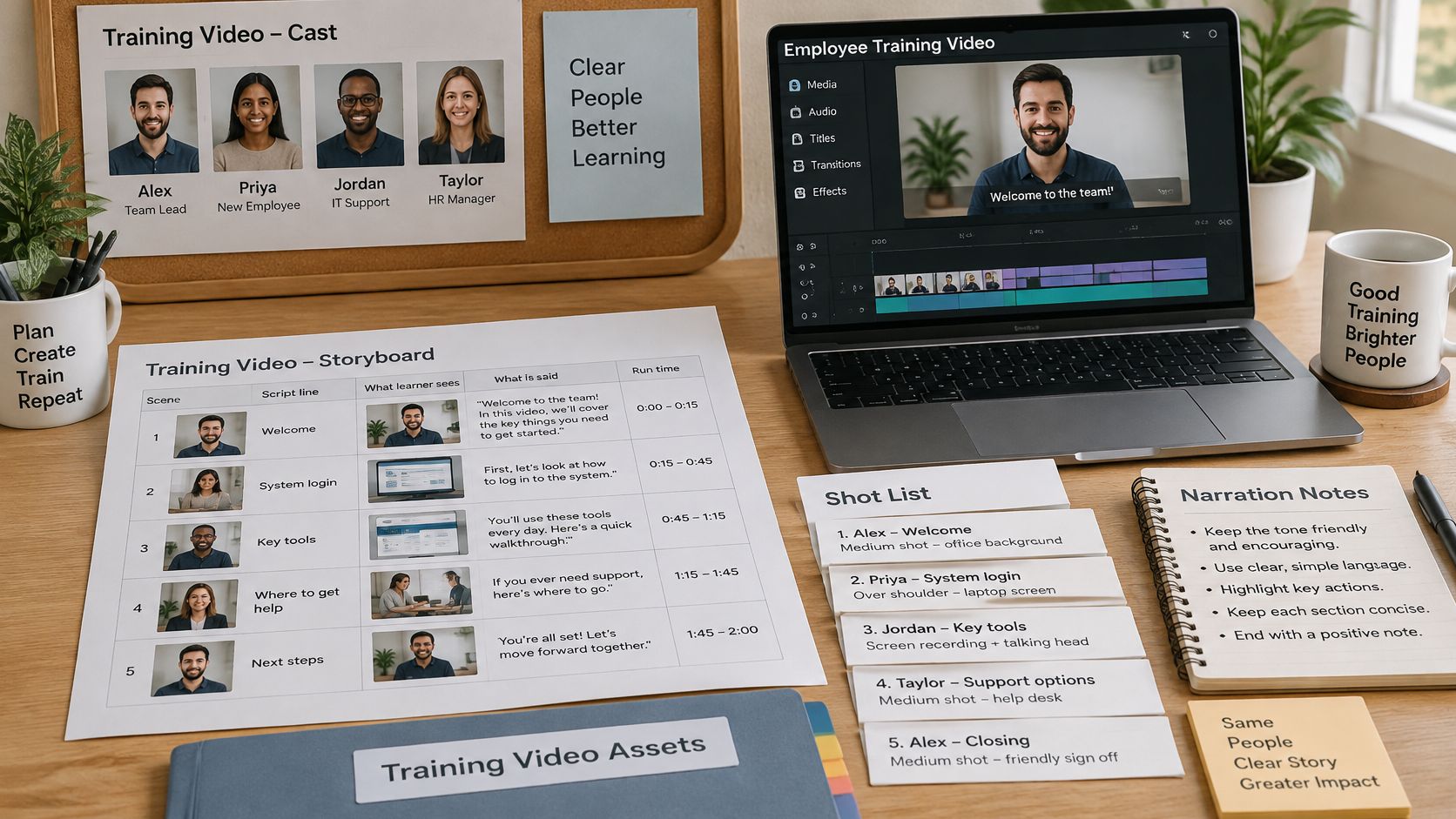
Once the script is locked, storyboard each scene as a shot list tied to a script line. Every frame should answer three questions. What does the learner see? What's said over it? How long does it run?
This flatlay shows the working set I expect on the desk before production starts, a storyboard, a shot list and training notes that all trace back to the same script version.
One Cast, One Workplace
Keep one cast and one visual world across the whole course. When module three suddenly looks like a different company, learners spend attention on the change instead of the procedure. Consistent clothing, locations and voice also make later updates easier, because a replacement scene can match what's already live.
Realistic hazards, accidents, injuries, emergencies and difficult conversations are permitted in safety and compliance training where they serve a genuine learning purpose, and we may adjust how such scenes are shown. Handle them for learning, not shock. Say a scene shows a fall from a low platform. Show the unsecured edge, the consequence briefly, then the correct setup in full. Soften graphic detail when it doesn't help the decision. The learner needs to remember the guardrail check, not the injury.
Narration From the Locked Text
Narration uses the same plain wording as the approved script. Generate captions and the transcript from that locked text rather than rewriting them later, because a transcript that differs from the voice creates two versions of the instruction. Read lines aloud before recording. A sentence that looks fine on the page but runs out of breath will sound rushed and lose people.
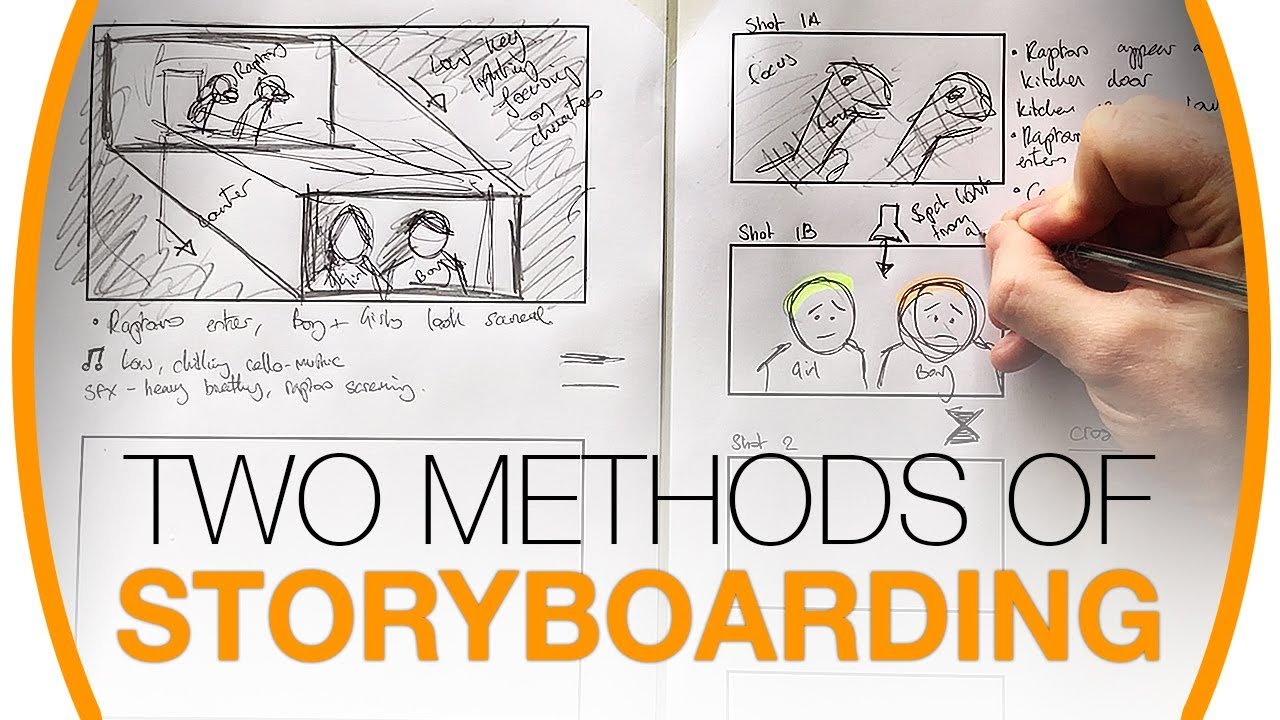
The clip below is a useful reference for how narration pacing and scene structure work together in a finished module.
File Names an Editor Can Sort Without a Meeting
Name files by scene number, shot, script line and status, for example S02_shot03_line05_approved. An editor should be able to sort the folder alphabetically and watch the course assemble itself in order.
A practical handoff folder holds:
- Locked script and storyboard: The single source for wording, shot order and running time.
- Narration takes: Approved takes only in the main folder, alternates in a clearly named subfolder.
- Graphics and job aids: Learning cards, stills and checklists in the formats the LMS will serve.
- Brand notes and a subject expert contact: One page covering logo use, colours and who answers content queries.
Existing procedures, examples and brand guidance can be supplied to make the content specific to your organisation, but they're optional. Don't hold a first cut hostage to a brand manual that's still being written. Where a step doesn't need motion, a still image or learning card does the job and loads faster on site wifi. If you're planning the wider build, our e-learning content development page sets out how these assets fit together.
Package the Course for the LMS and Audit File
Publish more than a video file. An MP4 on its own proves someone could press play. It doesn't prove what was taught, who approved it or whether anyone understood it.
The Package, in Audit Order
Hand over the files in the order an LMS admin and an auditor would open them:
- Locked script with version and date: The approved wording, so any later dispute about content has an answer.
- Storyboard tied to script lines: Evidence that pictures and narration were planned together, not matched up afterwards.
- Media, captions and transcript: The accessible versions, generated from the same locked text.
- Job aid or learning card: The artefact the learner keeps at the point of work.
- Knowledge check with its pass mark: Questions, correct answers and the threshold recorded together.
- Reviewer's name and sign-off note: Who verified the material, in what capacity and on what date.
Before publishing or using the materials for training, verification by a suitably qualified person must be arranged, particularly for safety, technical or compliance training. AI generation does not by itself establish that a course meets a law, standard, accreditation requirement or an employer's training obligations. Put that plainly in the project record. It protects the buyer and it protects you.
Access Designed in, Not Added Later
PwC's 2025 Irish workforce hopes and fears survey found that only 57% of workers reported access to the learning resources they need, falling to 51% among entry-level employees versus 71% for senior executives. That gap is a design problem. Host captions and a downloadable audio or large-print alternative so a night shift isn't tied to one player in one training room. Test the module on the phones and shared terminals people use.
Audit rule: When a procedure changes, retire the old scene and keep the revision date. Never leave two live versions of the same step.
LMS Settings That Make Failure Explicit
Set the module title, duration, pass mark, attempt rules and completion criterion before launch. Then define the next action when someone fails. Does the learner retake the scene, get referred to a supervisor, or repeat the whole module? If the LMS just records a fail and moves on, you've built a reporting system, not a training system. Also decide where video stops being sufficient. Hands-on competence, emergency response and supervised demonstration need observed practice on top of the recording, and the course record should say so.
Measure Transfer Not Completion
Satisfaction is a warning light, not a pass. A course can score beautifully on smile sheets while the error it was built to fix keeps happening on the floor.
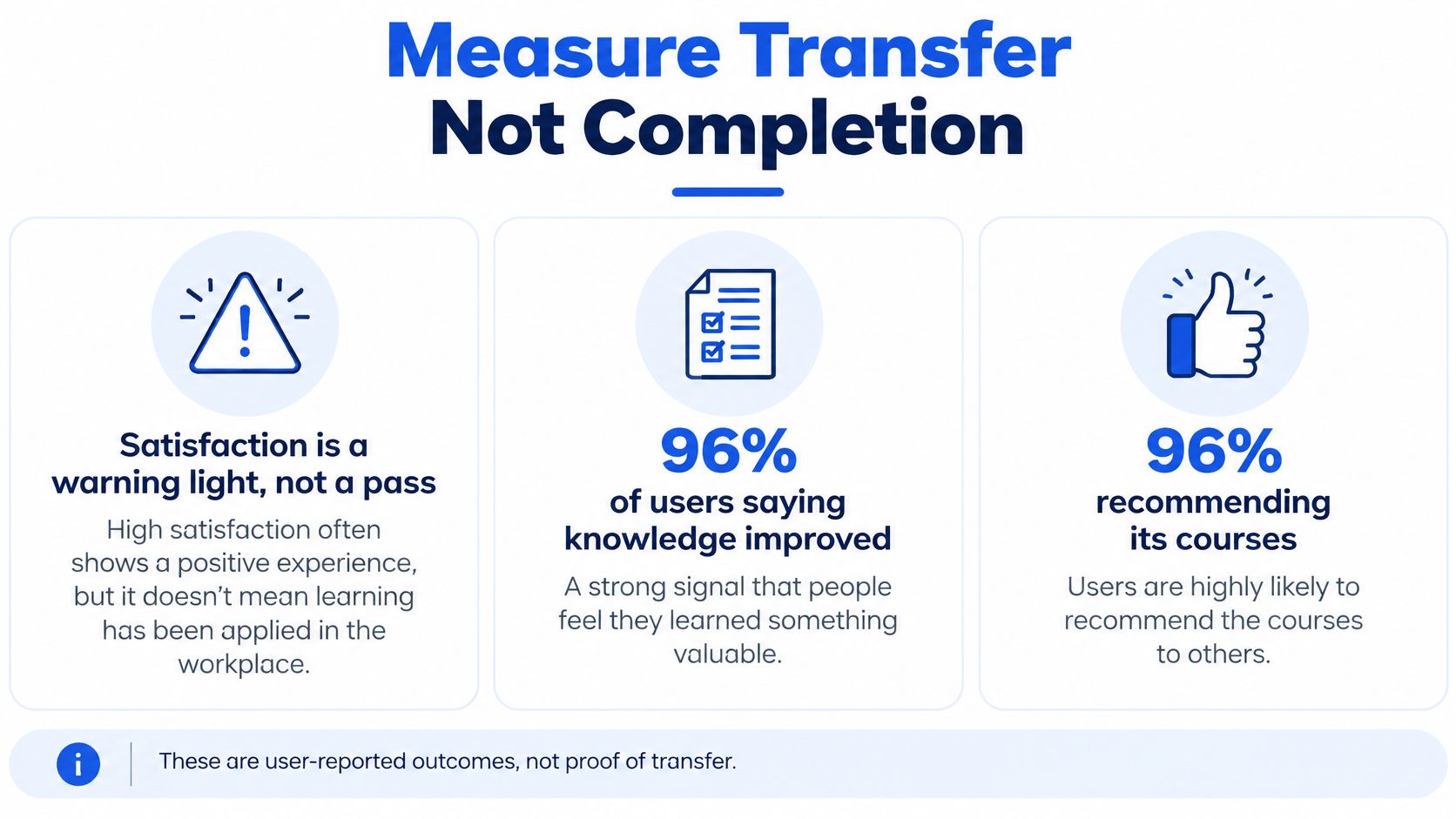
A 2024 Irish regional skills report found that 85% of companies used self-learning as the primary method for employee upskilling, while the same evidence base concludes that digital learning can be effective when used correctly but should not be relied on as the sole training method. The same source material notes an Irish compliance-learning provider reporting 96% of users saying knowledge improved and 96% recommending its courses, but those are user-reported measures, not independently verified behaviour or incident outcomes.
The Five-Step Sequence
- Diagnose the job risk or skill gap. Start from an incident pattern, audit finding or error rate, not from a topic list.
- Produce a short scenario video. Show correct and incorrect practice so learners practise recognising the difference.
- Require a scored decision task. Use retrieval questions or a branching choice with a pass mark, completed without the video playing.
- Reinforce with supervised on-the-job practice. Where hands, emergencies or permits are involved, someone competent watches the task being done.
- Verify transfer through manager observation. The supervisor confirms the behaviour in normal work, not in a training room performance.
Four Metrics Worth Reporting
Track video completion, assessment pass rate, delayed knowledge retention and observed workplace compliance. Completion tells you about access. The other three tell you about learning. Add an immediate post-course questionnaire and a six-month follow-up that asks whether the training improved the work. If the same error is still happening on site at six months, change the scene. Don't just resend the link.
For the question "Is watching enough?", the honest answer is no for anything physical, emergency-related or permit-controlled. Video introduces and rehearses behaviour well. Observed practice demonstrates competence. Our health and safety training work follows that split, because a fluent video and a competent employee aren't the same deliverable.
Report the four metrics separately, never blended into one score. A blended number hides exactly the failure you most need to see.
Choose Editor-Ready or a Finished Course
A course can be ready for handoff without being ready to publish. Choose the production route based on who will edit, assemble and prepare the final module.
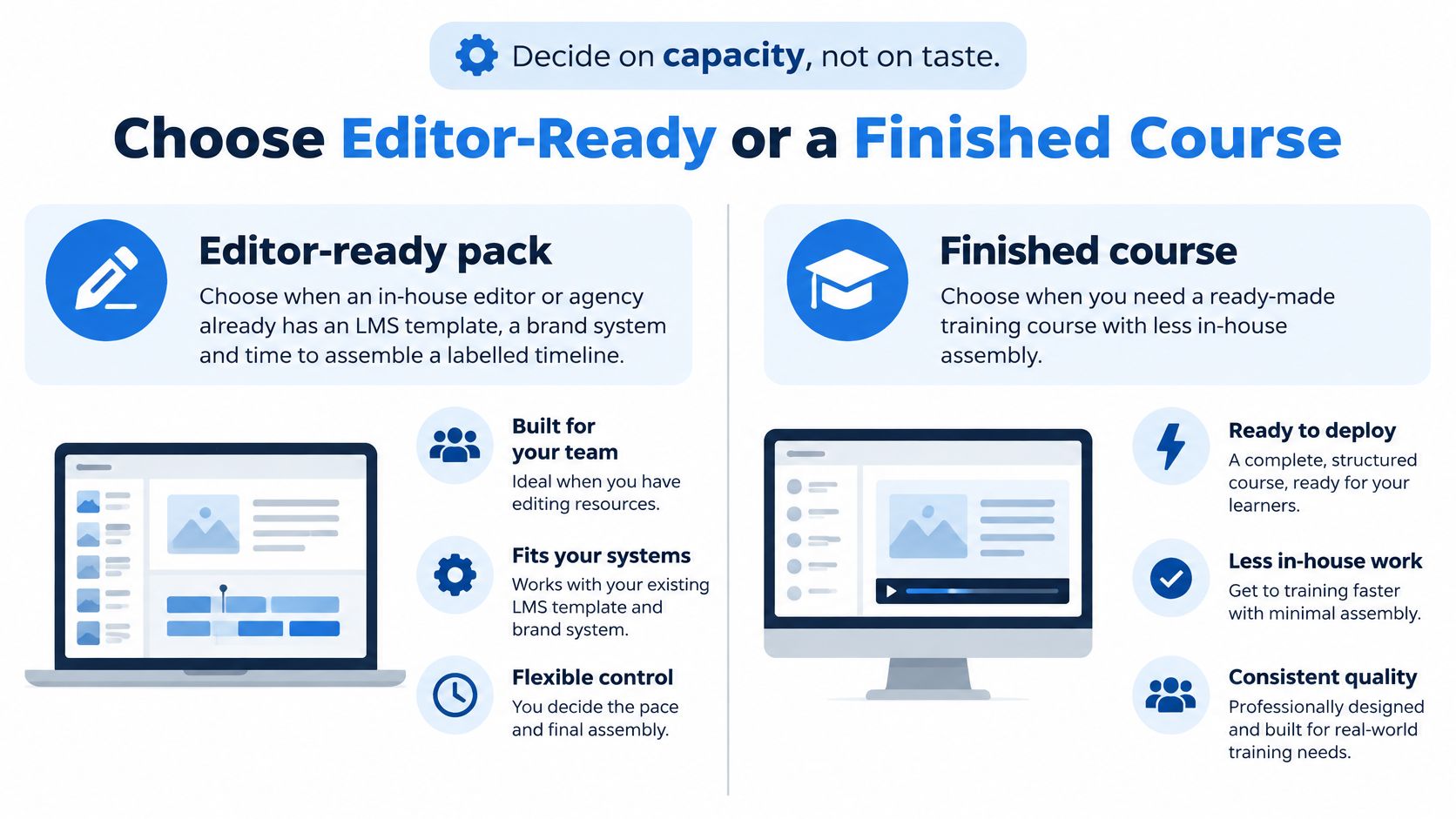
Editor-ready pack or fully finished course
| Choice | You receive | Who finishes it | Choose it when |
|---|---|---|---|
| Editor-ready pack | Script, storyboard, narration, labelled media and learning structure | In-house editor or agency | You have an editor, brand system and LMS template |
| Fully finished course | Assembled module, agreed polish, assessments and files prepared for LMS deployment | Production partner | Internal editing capacity is limited or the deadline is within a week |
| Finished plus role-play | Course and scenarios shaped around your workplace | Production partner, if included in the quotation | Learners need to practise conversations or decisions |
The Capacity Test
An editor-ready pack suits a team with the time and tools to assemble the course. A finished course suits teams that need the production partner to handle editing and final assembly. Role-play is a separate scope decision: include it when learners need practice with workplace conversations or choices, and confirm it in the accepted quotation.
Loresson says its Premium package can reduce production cost and delivery time by 90% or more compared with traditional bespoke video training of similar length and scope. Premium includes expert editing, final course assembly, bespoke interactive learning and role-play, plus preparation for the customer's LMS, to the extent agreed in the quotation. Site induction, onboarding and procedure training can all use this production approach.
Before commissioning, agree on:
- The role and procedure: Who needs to do what differently after the course?
- The jurisdiction: Which law, standard or internal policy should the content reflect?
- The reviewer: Who suitably qualified will review the material before it is used?
- The handoff: Does your team need an editor-ready pack or a finished course for its LMS?
- The scope: Which editing, assembly, role-play and LMS preparation are included in the quotation?
For a broader view of corporate training solutions, compare the deliverables with your team's capacity to review and deploy them. A clear handoff decision helps prevent gaps between the production partner's work and the work your team must still complete.
Choose the route that matches the people available to review, edit and deploy the course. Explore Loresson for a production option suited to your brief.