

A compliance manager has asked for a thirty-minute course by the end of the month. The subject matter expert sends a procedure, the producer books interviews, and filming begins before anyone agrees what learners should do differently at work. Later, the editor is asked to make the footage “more engaging”, but nobody can connect the finished scenes to a specific task or assessment. The team has material, yet it doesn't have a course that can demonstrate competence.
That pattern isn't mainly a problem of camera quality. It's a production problem: decisions arrive out of order, approvals aren't tied to clear criteria, and useful source material gets lost between teams. A governed pipeline prevents that drift by requiring each handoff to carry evidence forward, from workplace need to learning outcome, script, media, assessment and final package.
Table of Contents
- Where Most Training Course Projects Quietly Fail
- Running a Needs Analysis That Actually Changes Behaviour
- Writing Learning Objectives That Survive Review
- Designing Multimedia That Earns Engagement
- Producing the Handoff Pack and Editable Timeline
- Building Assessments and Evaluation Evidence
- Packaging for the LMS and Shipping Updates Without Chaos
Where Most Training Course Projects Quietly Fail
A course can look polished and still miss the job it was meant to support. In the scenario above, filming wasn't the first mistake. The team hadn't agreed on the performance gap, the learner group or the evidence that would show the course worked. Once interviews were in the can, every change to the objectives meant rewriting scenes, rearranging the edit and asking reviewers to reconsider material they'd already approved.
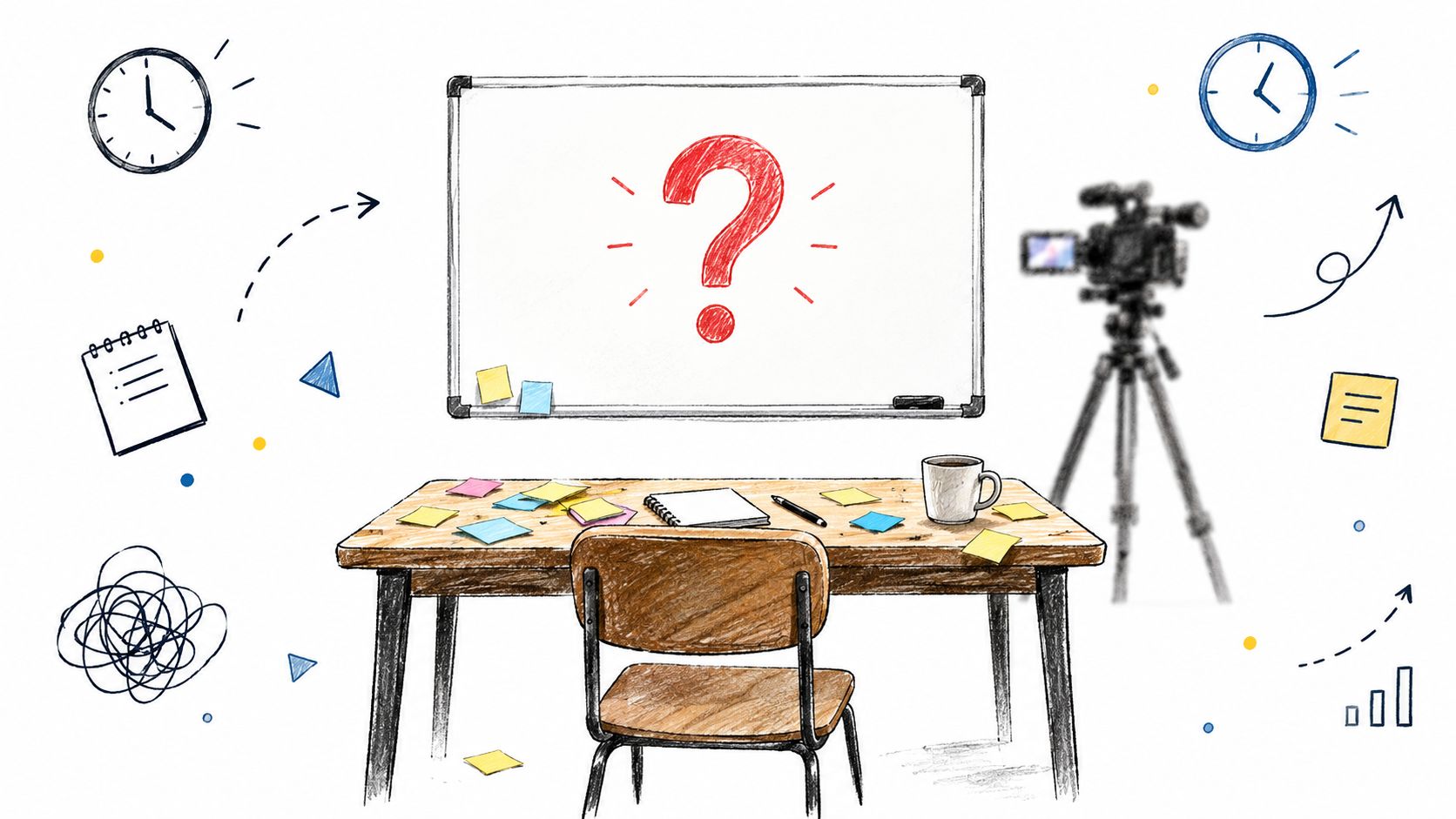
The early warning signs are easy to miss. A brief says “raise awareness” without identifying an action; reviewers disagree about who the learner is; the subject matter expert shares a long policy but can't identify the decisions workers make; or the producer receives feedback like “make it more practical” without an example of competent performance. Each signal points to an unresolved decision that production will otherwise have to absorb.
The cost isn't just another edit. When objectives, script and visual plan aren't connected, the editor becomes the person trying to reconcile conflicting views, often without authority to resolve them. AI-assisted production can make it faster to generate scripts, narration and media, but speed only amplifies a weak brief if review gates aren't clear.
Production rule: Don't approve a scene because it looks finished. Approve it because it teaches or tests a defined outcome.
A workable pipeline gives the subject matter expert, instructional designer and producer clear handoffs. Each stage answers a different question: what workplace need matters, what must the learner do, how will the course let them practise, and what evidence will show they can perform? The test stays simple throughout: every scene, interaction and assessment maps to an outcome, and every outcome maps to a workplace task or risk control.
Running a Needs Analysis That Actually Changes Behaviour
Before scripting, establish what the organisation needs to change and what workers must do to make that change. An Irish Workplace and Training Association learning-and-development strategy describes a three-stage needs analysis: organisational analysis, job or task analysis, and individual analysis. This structure helps course teams connect a business concern to observable work and then to a specific learner gap (Irish Workplace and Training Association learning-and-development strategy).
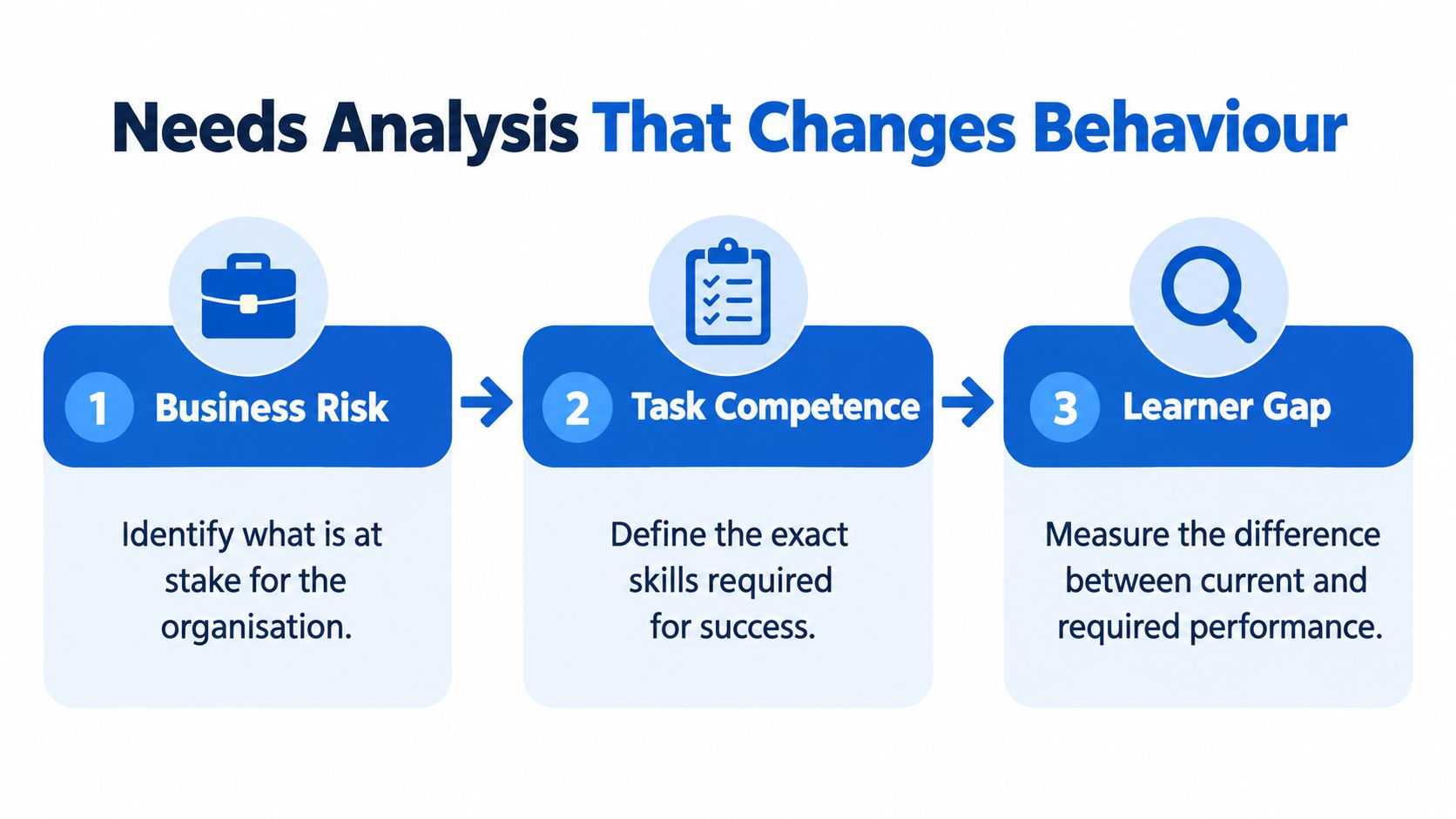
Organisational analysis sets the context. A team developing a procedure-based health and safety course might identify a concern about workers completing equipment isolation inconsistently. The course shouldn't begin with a list of policy topics. First, establish which operational objective or risk control the training needs to support, and what information is available to justify the need.
Job or task analysis turns that concern into work. Observe or map the task, then identify the decisions and actions a competent worker must perform. If operators skip the isolation verification step, write down what they need to check, when they need to check it, and what they should do if the result doesn't match the procedure. That's a more useful production brief than “explain isolation”.
Individual analysis compares the required performance with what learners currently do. Use evidence such as observation, supervisor feedback, task records or assessment results. Don't assume that a procedure gap means people lack knowledge: workers may understand the steps but face confusing controls, unclear responsibilities or inconsistent local practice. The cause determines whether a course is appropriate and what it should address.
Turn gaps into a production gate
A gap statement should name a current behaviour and the required behaviour. For example, “operators skip the isolation verification step” can become an outcome such as: “Given the procedure and a simulated equipment scenario, the learner will select and perform the required verification step before work begins.” The assessment can then test the decision rather than reward memorising a paragraph.
Before writing, check that the need is tied to an organisational priority, the task is described in observable terms, and the learner gap is supported by evidence. If any link is missing, pause production and gather the right information. For teams creating employee induction, it can help to connect role expectations and procedures through a structured employee onboarding training approach.
Writing Learning Objectives That Survive Review
An objective earns its place when a reviewer can tell what the learner must do and what evidence would demonstrate it. “Understand the policy” is hard to assess because it doesn't say what understanding looks like at work. “Select the correct escalation route for a reported hazard” names an action that can be practised and checked.
Choose verbs that match the required performance. Identify or describe may suit recall; select, demonstrate, prioritise and respond are more useful when the learner must apply information or make a decision. Avoid stacking different performances into a single objective. If a learner must recognise a hazard, choose a control and report an incident, those are distinct actions and may need separate practice and evidence.
Weak vs Outcome-Ready Learning Objectives
| Scenario | Weak Objective | Outcome-Ready Objective | Evidence Type |
|---|---|---|---|
| HSEQ procedure | Understand equipment isolation | Given a simulated maintenance task, select and perform the required isolation verification before work begins | Scenario decision and observed sequence |
| New starter onboarding | Know the company's reporting policy | Given a workplace concern, choose the correct reporting route and identify the information to include | Case-based response |
| Customer service | Learn how to handle complaints | Given a complaint scenario, acknowledge the concern, confirm the issue and select the appropriate next step | Role-play rubric |
The objective should shape the scene, not be added after the scene is written. A scene about isolation might show a worker checking the condition of equipment, but if the outcome is about responding when verification fails, the learner needs a chance to make that decision. Attractive footage can set up the moment; the interaction or assessment has to test the behaviour.
Review test: Can a subject matter expert point to the workplace task, the course moment that teaches it and the assessment evidence that checks it?
Keep an objective-to-assessment map with the script and storyboard. For each objective, record the relevant scene or interaction, the assessment item and the expected evidence. This gives compliance reviewers a traceable basis for approval, and it helps producers remove material that adds length without supporting an outcome. Before sign-off, check that each objective uses an observable verb, each assessment matches the demand of the objective, and no scene carries several unrelated learning tasks.
Designing Multimedia That Earns Engagement
Media choice should follow the behaviour learners need to practise. A realistic conversation may benefit from scripted scenes; a step-by-step process may be clearer with narration and a diagram; a judgement call under pressure may need an interactive scenario. More production value doesn't automatically create more learning. The useful question is whether a format lets learners notice, decide or practise something they need at work.
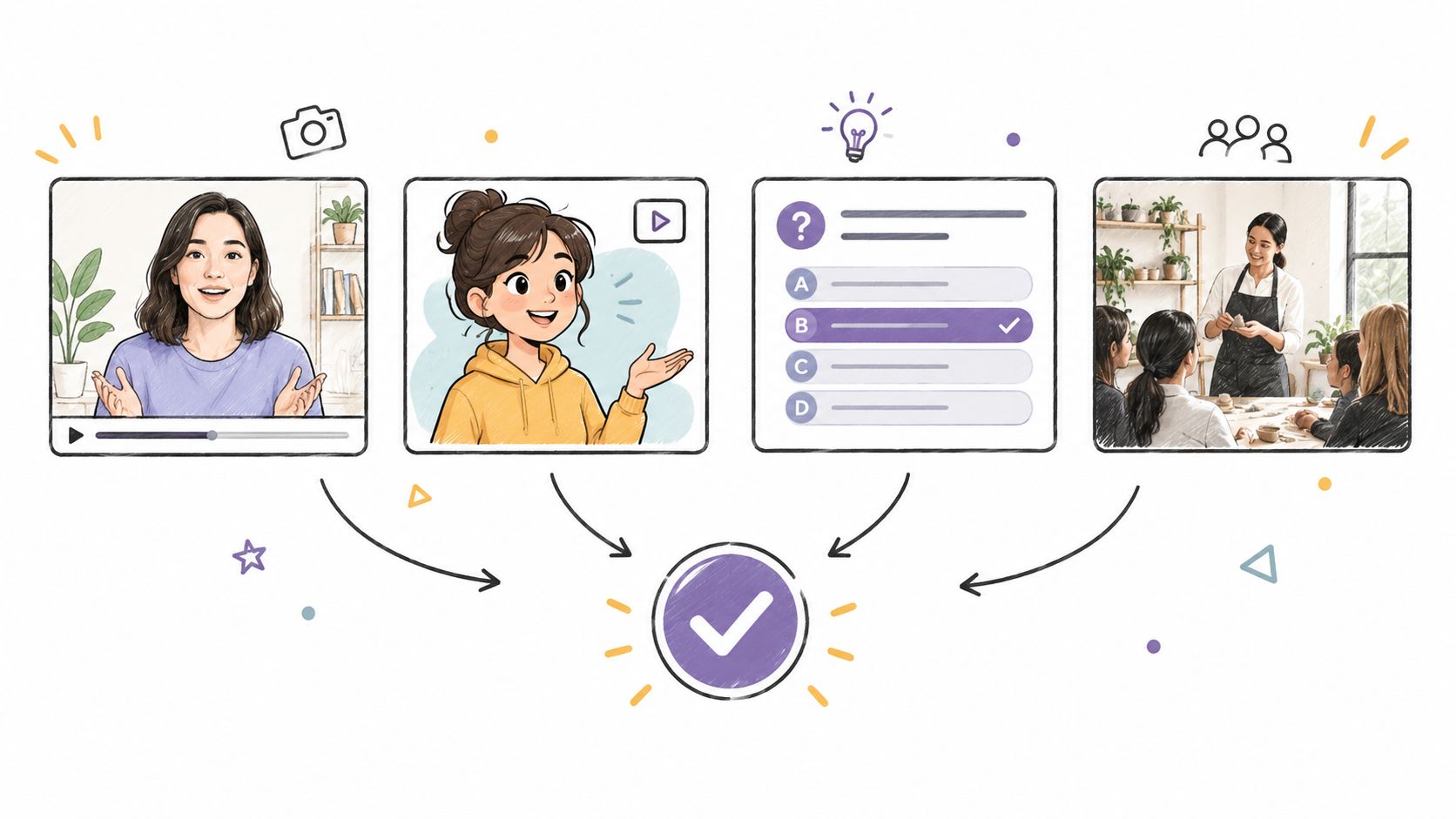
Cinematic scripted scenes work well when context, body language or a sequence of choices matters. They can give learners a specific situation to interpret, while generic stock footage often provides only decoration. The trade-off is the effort needed to plan scenes, maintain continuity and review details. Use controlled AI-assisted production where it helps create consistent settings and characters, but keep subject matter review focused on accuracy and relevance.
Professional narration can carry procedure-heavy material without making learners read dense slides. It's efficient for explaining a sequence, but narration alone leaves little room for learners to show what they'd do. Motion graphics can clarify relationships, steps or decision paths, especially where filming would add little. Keep graphics focused: animation that doesn't clarify a concept is extra polish, not instruction.
For decisions that require practice, interactive role-play or scenario questions can ask learners to choose a response, see the consequence and try again. They take more design and review effort than a passive video, but they provide a clearer opportunity to rehearse judgement. Choose the simplest medium that gives learners meaningful practice at the target behaviour. A training video production workflow can help teams plan footage against learning outcomes rather than treating filming as a standalone activity.
A consistent cast, voice and visual world can also help learners follow a course across modules. But consistency isn't a reason to force every topic into the same format. Let the task determine the medium, and make sure the learner can follow what's happening without splitting attention between unnecessary effects and the decision they need to understand.
The embedded example offers a visual reference for combining different learning formats:

Producing the Handoff Pack and Editable Timeline
A quality review asks for the exact cut of a safety module that shipped last quarter, plus the script version and the scene used to prove the procedure. If the answer lives in three exports, a chat thread and an editor's memory, the course is not maintainable yet.
Treat packaging as a named gate in the pipeline: Gate 4, handoff freeze. The rule is simple. No scene enters the pack until it carries a stable ID, an approval status and a named owner. That ID must match across script, storyboard, media folder, caption file and timeline, so a reviewer can trace one change without opening every asset.
What the editor should receive
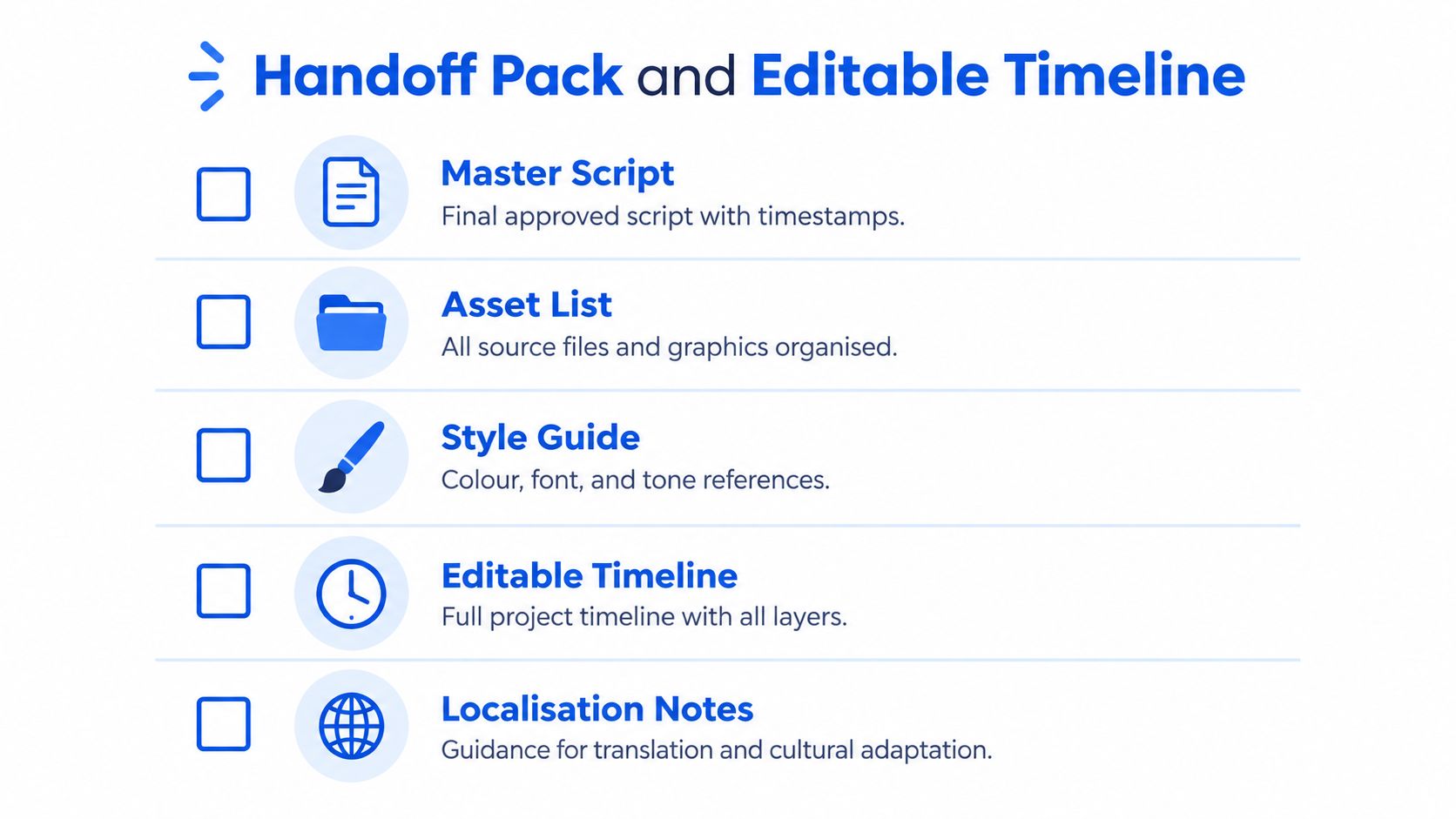
Send the approved script and learning plan, the scene list, labelled source media, narration stems, editable graphics, assessment items with answer key, and an objective-to-scene-to-assessment map. Add approval records, open notes, pronunciation guidance and terminology for localisation. The pack should say what is final, what is conditional and what is knowingly deferred.
The editable timeline is the second gate: Gate 5, rebuild ready. AI-assisted drafting and cinematic media can produce several usable versions of the same moment, which speeds production but creates false confidence if the editor cannot tell the approved take from a good-looking spare. Keep the timeline connected to the scene IDs from assembly, with gaps marked instead of hidden, and store alternates as labelled options rather than loose files.
A governed production service such as Loresson's can compress scripting, narration, graphics and role-play into one delivery, but the trade-off stays the same for a small team: faster generation only shortens the loop when the package states what shipped, what changed and what must be rechecked after an update.
Building Assessments and Evaluation Evidence
Treat assessment as Gate 6, evidence ready: the point where the course stops being a media build and becomes something a reviewer can audit. A completion record shows a learner reached an endpoint. Evidence has to show what they can now decide, perform, or produce under conditions close to the job.
The HSE evaluation guide recommends a Kirkpatrick-style structure covering reaction, learning, behaviour and organisational results. In production terms, each level gets a different instrument and owner: a baseline knowledge or confidence check before launch, scenario decisions during the course, then supervisor checks, observation, incident indicators or task-quality data after release where those measures fit (HSE evaluation guide for education and learning programmes).
A positive reaction score says the room liked the session. It does not prove the task was learned. If the course teaches a worker how to respond when equipment isolation verification fails, the assessment should make the learner choose the next action with realistic cues and consequences. AI item generation can draft twenty plausible scenarios quickly; the trade-off is that it also drafts clean-looking distractors that are wrong in the field. The subject matter reviewer signs off the answer key and rationale before items ship.
Keep the chain auditable. Retain the approved script version, item IDs mapped to objective and scene IDs, answer key, pass rule, sign-off record, results export and follow-up method. A small team does not need a giant report; it needs a pack that answers “why this item?” without reopening every file.
Report enrolment, partial and full completion, assessment pass rate and certification as separate measures. The HSE guide cites SOLAS 2023 figures showing that 73.9% of learner completions were certified, while 24.1% were not certified (see the HSE evaluation guide cited above). Version the item bank on every update so a re-release never erases who was taught what, or when the standard changed.
Packaging for the LMS and Shipping Updates Without Chaos
A course can look finished in the edit suite and still fail at the release gate: the SCORM package uploads, the completion rule never fires, and the assessment score the LMS expected is trapped inside a video. Agree delivery format, completion rules, assessment behaviour, captions, transcripts and branding before final render. A playable file carries pictures and sound; a managed course carries structure, records and version meaning.
Treat packaging as a handoff gate with named checks: platform format, accessible assets, event tracking, language variants and source files. Confirm learners can follow content without audio alone, captions and transcripts match the approved script, and the package reports completion and assessment events the LMS is configured to capture. For multi-language releases, keep the source script and localisation notes beside each approved variant so reviewers can diff changes instead of hunting through exports.
Make changes traceable
Start the update loop with a documented change request, then run three short gates: impact, edit, release. The course owner states what changed; the subject matter or compliance reviewer confirms impact; the producer updates only the affected script, scene, graphic or item; the team checks linked outcomes, signs off and releases a new version. Keep prior approved files intact. Version history is what lets an auditor see what was taught and when the standard moved.
AI-assisted drafting and cinematic media shorten that loop for a small team, but only when identifiers stay tight. AI can propose revised narration, alt text, captions and quiz variants in hours; glossy renders can also make a weak change look approved. Give scenes, assets and items stable IDs and owners, so a procedure update touches one module instead of the whole course. A managed route from pilot to production carries those controls into the live course after the prototype stops impressing people.
Before upload, run the release gate once: learner need, objectives, media, evidence, accessibility, approvals and LMS behaviour all match. Assign an owner and a review trigger tied to a procedure change, incident pattern or audit finding. The final publish then starts a controlled maintenance cycle.
If your team needs to turn procedures, policies or workplace risks into an auditable course, Loresson combines scripting, cinematic media, narration, graphics and assessments in editor-ready or fully finished packages prepared for LMS deployment. Visit Loresson's course production service to discuss a governed production workflow that fits your review and handoff requirements.