

A green completion bar can look reassuring right up to the moment an auditor asks what a person learned, which version they saw, and whether they could make the right decision on shift. That's the gap a learning management system LMS has to close. The hard problem isn't picking a brand from a comparison table. It's making sure the right course reaches the right role, in the right jurisdiction, with a record that proves competence rather than attendance, and that you can update one unit when a procedure changes without rebuilding everything.
Table of Contents
- What a Learning Management System Holds
- Why Workplace Learning No Longer Fits a File Store
- How to Choose an LMS When Nobody Shares One Platform
- How to Deploy a Course Without Losing the Record
- Compliance Records That Show Competence
- Migration and Localisation Across Sites and Rulebooks
- Commission the Course and Embed It
What a Learning Management System Holds
A learning management system enrols people, delivers learning, checks understanding and keeps the record. Think of a small training centre rather than a shared folder. There's a reception desk that checks who's due in, classrooms where the learning happens, an exam room that separates a pass from a wander through, and a filing cabinet that can produce the evidence months later. If one of those rooms is missing, staff will build a workaround in spreadsheets and inboxes.
Use this table as a quick audit of your own setup before you talk about brands or features.
| Module | What it does for L&D | Empty-shelf failure |
|---|---|---|
| Catalogue and enrolment | Assigns courses by role, site, cohort or client | People never see the course that applies to them |
| Content player | Serves modules, video, documents and resumable mobile sessions | A file dump with no learning flow |
| Assessment | Quizzes, scenarios and pass marks tied to objectives | Completion with no check of competence |
| Tracking | Progress, time, attempts and completion dates | Certificates with nothing behind them |
| Reporting | Overdue lists, completion exports and audit packs | Dashboards nobody can hand to an auditor |
| Administration and access | Roles, SSO and HR joiner-leaver sync | Spreadsheets kept beside the LMS |
What sits outside the system
An LMS doesn't write your script, film your procedure, decide your pass mark or replace your HR system. It holds and manages what those other processes produce. SCORM, xAPI and cmi5 matter here only as packaging formats, the envelopes your player must be able to open so the course can report a score and completion back to the record. If a vendor leads with standards and can't show you an overdue list filtered by site and version, you're looking at the wrong end of the demo.
Ireland's experience shows why this distinction matters. The open dataset on students' perceptions of virtual learning environments describes a longitudinal Irish survey project that began in 2008 and collected more than 21,000 anonymous student responses across 12 higher-education institutions. In the 2013 comparison from that work, almost half of students used their VLE daily, and the system served as a stable platform for distributing learning materials, managing assignments and communicating with students.
That history points to ongoing infrastructure, not a cupboard for finished video files. Learners expect consistent navigation. Managers expect measurable activity. Training owners expect to maintain the same course across departments or client organisations without losing track of who's done what. Mark each row in the table with a clear eye. A row you already run well is an asset. A row held together by manual uploads is an empty shelf, and it'll show up first during an audit or a busy induction week.
Why Workplace Learning No Longer Fits a File Store
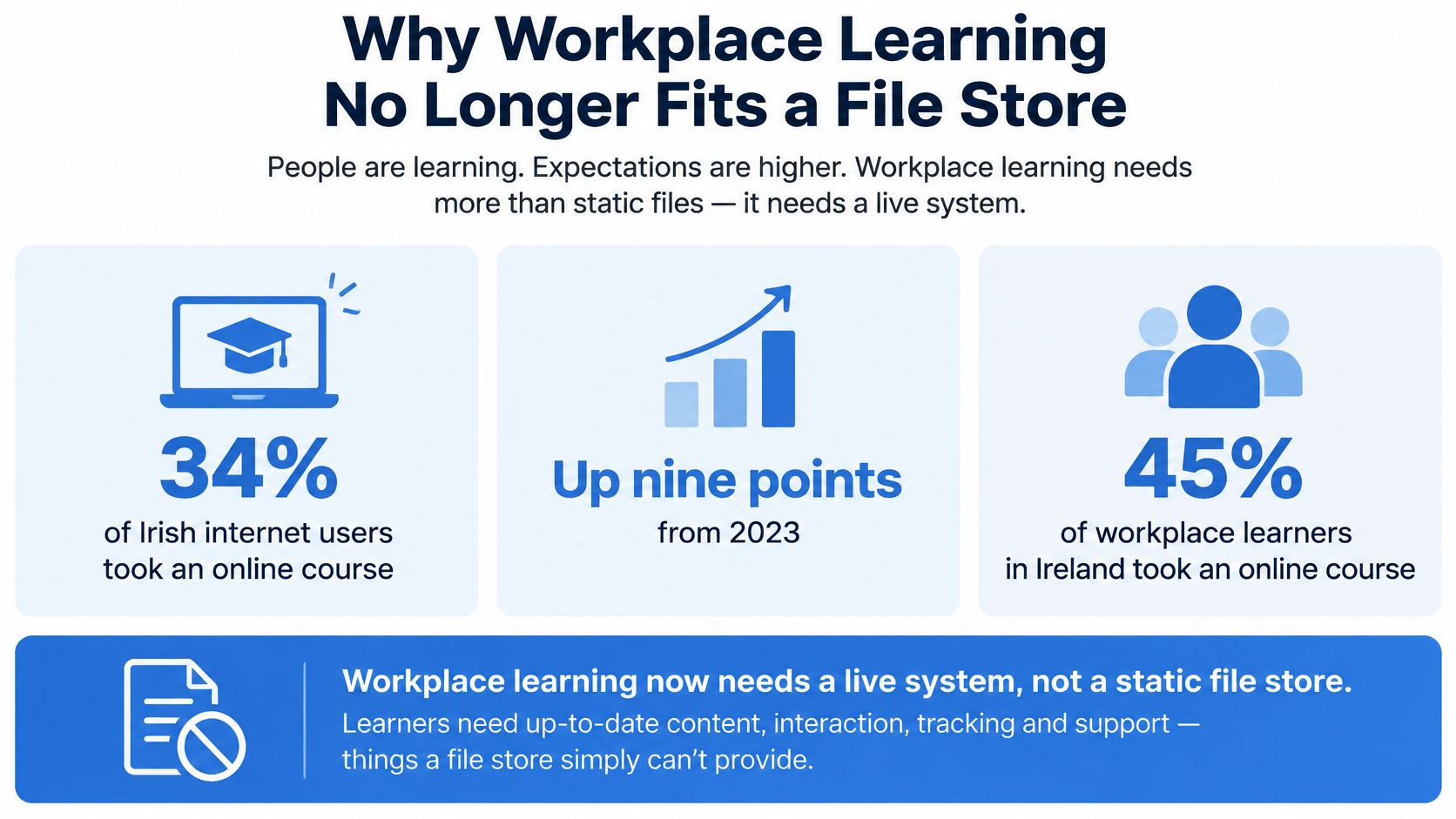
Workplace learning in Ireland isn't an occasional event you can serve from a folder of PDFs. The Central Statistics Office Household Digital Consumer Behaviour 2024 release on online learning reported that 34% of Irish internet users undertook an online course in 2024, up nine percentage points from 2023. Among people whose principal economic status was 'at work', the proportion was 40%, up six percentage points. Of those who completed online learning, 64% cited professional or work purposes, compared with 35% citing formal education and 38% private purposes.
Read those figures as a workload, not a trend line. A large share of your workforce already learns online for work, often between other tasks, and they expect the experience to behave like the other systems they use. A static file store can't tell you who opened the current procedure, who opened last year's version, or who never found either one.
What that workload demands
Design for interruption first. A frontline worker starts a module on a phone between shifts, gets called away, and returns on a shared terminal later. The session has to resume where it stopped, on a screen that fits the device in hand. If it restarts from slide one, people learn to click through quickly rather than read carefully, and your record shows speed instead of understanding.
Separate your numbers, too. Enrolment, participation, assessment success and repeat access are four different facts. A course can have high enrolment because a manager assigned it to everyone, low participation because night shift couldn't access it, and strong assessment scores among the few who finished. A single completion percentage hides all three problems and sends you fixing the wrong one.
The work-related majority also argues for short, updateable units. Say a lockout step or a reporting threshold changes. With a live system you replace that one unit, assign it to the affected roles, and keep evidence that they completed the revised version. Nobody repeats the full programme to learn one changed step. With a file store, the old document stays in circulation because someone saved a copy, and you've no reliable way to recall it.
Think of the LMS as a library that stamps who borrowed what, and can recall one shelf when the rules change.
That recall is the practical load your system carries. For induction and HSEQ training, the output you need is completion evidence fit for a compliance audit, showing assignment, version, result and date. A view count tells you a file was opened. It doesn't tell you a person learned anything, and it won't satisfy anyone asking hard questions after an incident.
How to Choose an LMS When Nobody Shares One Platform
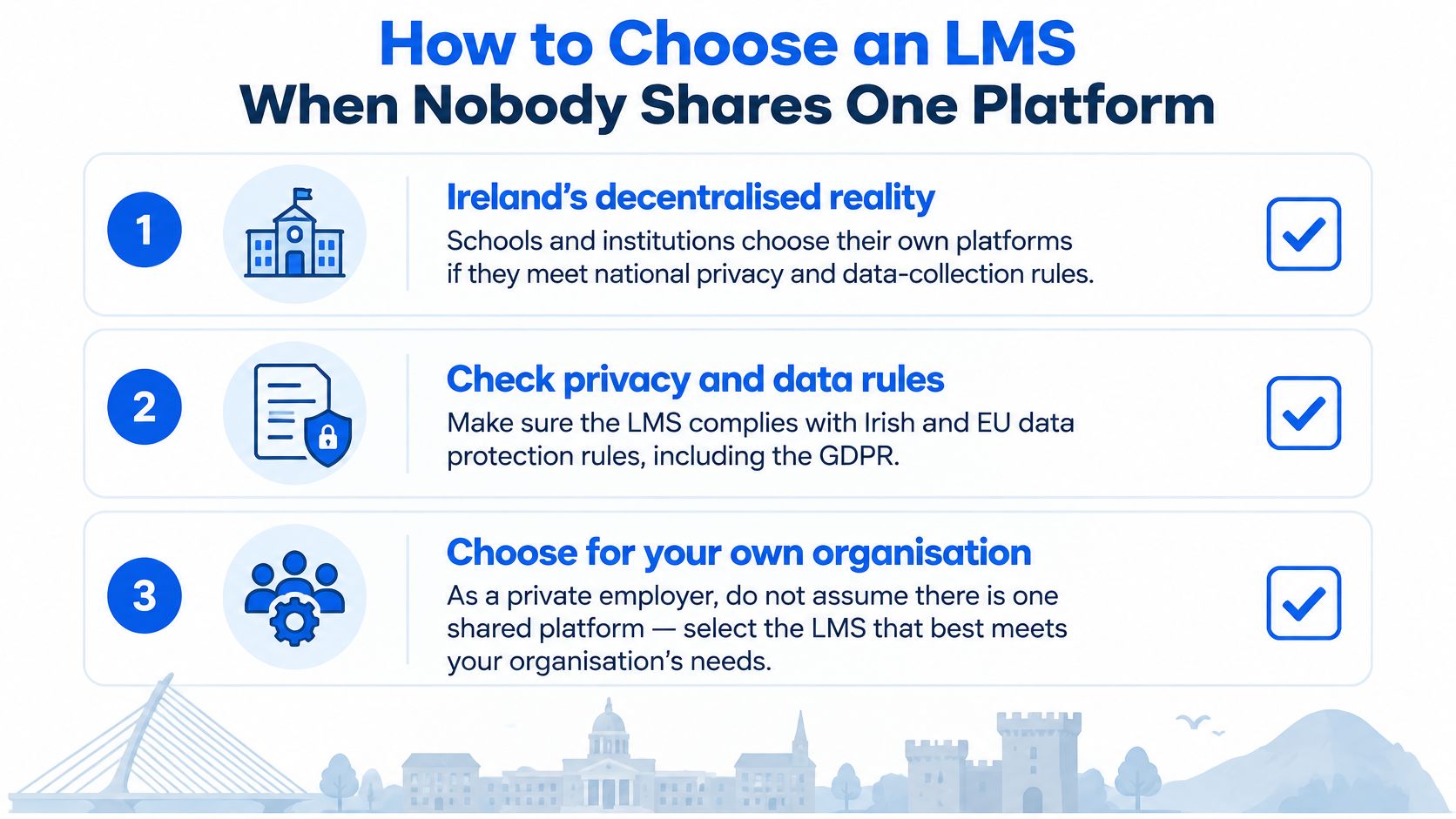
Don't start by asking which platform everyone else uses. In Ireland, there isn't one. The OECD review of Ireland's digital education ecosystem states that schools have full autonomy to procure learning-management systems, provided they comply with national data-privacy regulations and data-collection protocols. Many Irish schools run on tools such as Google Classroom, Seesaw or combinations of Google Classroom and Microsoft 365. Higher education shows the same pattern, with teaching staff relying on a virtual learning environment day to day for distributing materials, administration and assessment.
Expect the same variety across your own sites, clients and contractors. One worker opens a module on a site-office laptop, another resumes it on a phone between jobs, and a third needs the record pulled for an audit months later. Your content has to travel, and your platform has to treat materials, administration and assessment as everyday jobs rather than paid extras. Score each shortlisted platform against the criteria below, and run the demo with your own course and your own roster, because the gaps only show when the content is yours.
| Criterion | What good looks like | Red flag |
|---|---|---|
| Interoperability | Accepts SCORM, xAPI or LTI and exports both content and records | Content locked inside one vendor |
| Privacy and retention | Clear GDPR roles, retention periods and data location | Subprocessors you cannot name |
| Mobile and resume | Frontline staff can pause and continue on a phone | Desktop-only player |
| Assessment quality | Pass marks tied to objectives, not a single click | Completion with no competence check |
| Reporting | Filterable exports of assignment, version, score and date | A dashboard you cannot download |
| Administration | SSO plus joiner and leaver sync from HR | Weekly spreadsheet uploads |
| Update agility | Replace one unit and reassign only that unit | A full re-enrolment to fix one slide |
| Accessibility | WCAG-minded player, captions and keyboard access | Captions added after go-live |
Two checks the table leaves open
Licensing decides what growth costs. Ask whether you pay per active learner, per site or a flat fee, and what happens when a contractor or a client's staff join for one project. A cheap licence that bills for every dormant account punishes you for keeping historical records. Price the model on your active users and the admin hours it will take each month, not on the list fee in the proposal.
Deployment decides who carries the maintenance. Hosted SaaS gives you speed, with patching and updates handled by the vendor, and that suits most employers. Self-hosting gives stricter control over data location and configuration, while your IT team owns uptime, security patches and upgrades. Neither is wrong. Choosing self-hosted without naming the person who will patch it is wrong.
One more thing sits above both checks. A well-chosen LMS only produces records as good as the courses inside it, so governed, role-specific content you can update unit by unit is what turns the platform into evidence of competence. If you're weighing platform choice alongside course production, review a set of corporate training solutions that treats both decisions together. Then keep the final rule simple. If two platforms tie on the criteria, pick the one your smallest site can administer on a normal Tuesday, with the staff it already has.
How to Deploy a Course Without Losing the Record
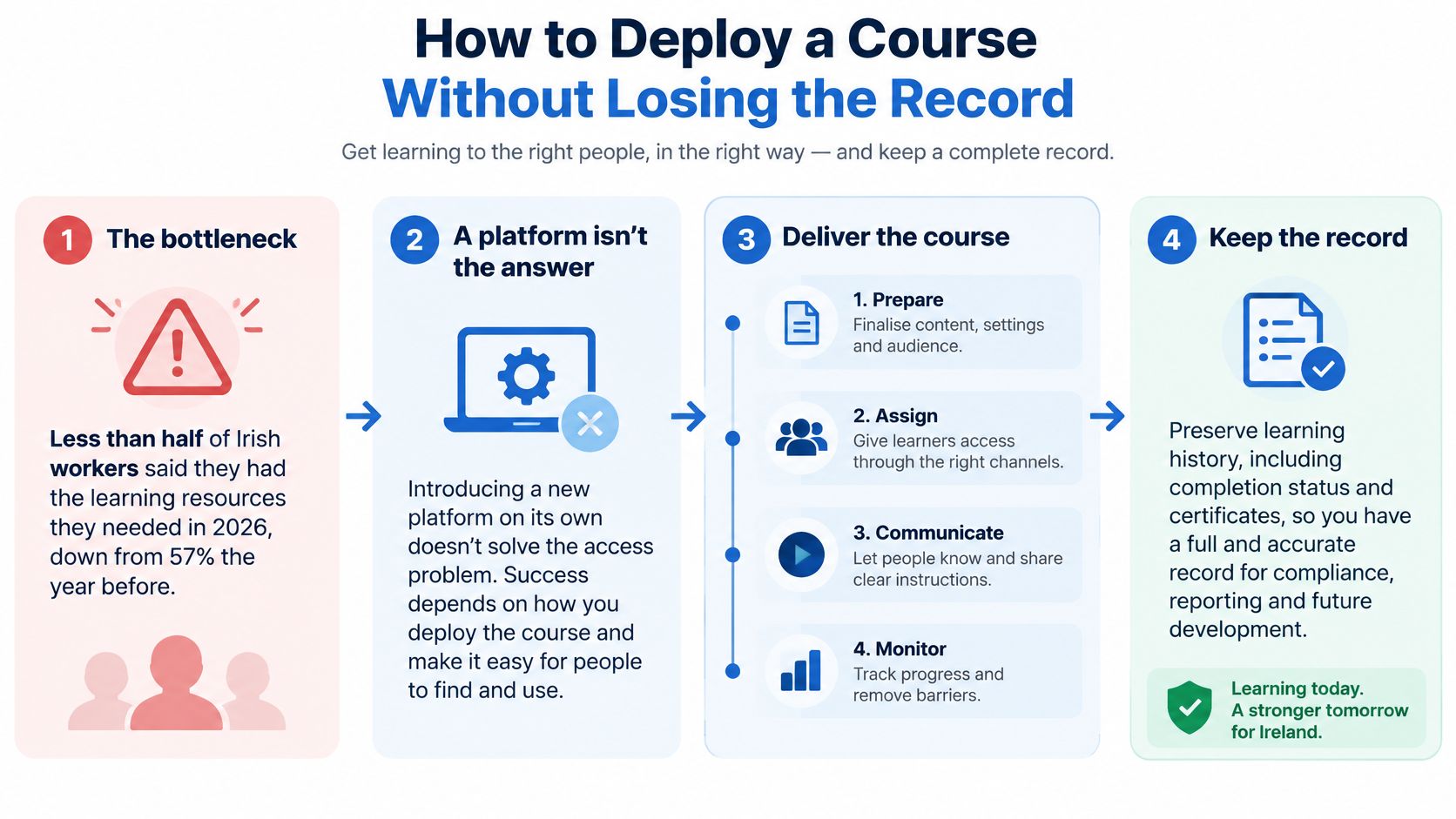
Buying the platform is the easy part. Keeping it stocked with relevant, current learning is where most organisations stall. Reporting on the 2026 workforce survey in ThinkBusiness coverage of Ireland's AI skills gap notes that less than half of Irish workers reported access to the learning and development resources they need in 2026, down from 57% the previous year. The same reporting describes two-thirds of organisations operating without a formal talent-development strategy, while businesses with more than 50 employees expect up to half of their workforce may need digital upskilling within two to three years.
That's the bottleneck. If content production, review and updating move slower than operational change, your LMS becomes a queue of good intentions. The sequence below keeps the record intact while you move one course from procedure to published module.
Six steps in order
- Name the audience first. Fix the role, site and jurisdiction before anyone builds media, so you don't produce a polished course for people it doesn't apply to.
- Agree the package with the platform owner. Confirm SCORM or xAPI, the passing score, and whether completion needs a scored scenario as well as the video. Settling this late is how scores end up unrecorded.
- Pilot one cohort and one procedure. A small pilot exposes confusing questions and access problems while they're cheap to fix. Launching the whole catalogue at once hides them in the noise.
- Turn on SSO and the HR roster, then test a real week. Watch actual joiners and leavers move through the feed. A leaver who keeps access is a security problem. A joiner who never appears is an induction gap.
- Publish with a version label and retire the old item. Two live versions that both count as complete will split your evidence and confuse any later audit.
- Read completion and assessment as separate numbers for the first month. High completion with weak scores points at the content. Low completion with strong scores points at access or time. Treat them as one number and you'll fix neither.
Notice what a course needs when it arrives. A script, learning objectives, a review note, editable media and a trigger for the next update matter as much as the finished video. The script proves what was taught. The objectives justify the pass mark. The review note shows who signed it off. Editable media means a changed procedure becomes a targeted revision instead of a new production. That handoff is what stops your LMS waiting on a studio date every time a risk assessment changes.
Compliance Records That Show Competence
A completion bar proves someone reached the end. It doesn't prove they can do the task safely. For HSEQ, policy and AI-use training, an auditor or regulator will ask a harder set of questions. Who was assigned this course? Which version did they see? What score or scenario outcome did they achieve, on what date? Who signed the content off before it went live? If your reporting can't answer those five questions in one export, you don't have evidence. You have attendance.
AI use at work shows the gap clearly. The PwC Ireland Workforce Hopes and Fears Survey 2026 release reports that 51% of Irish workers used AI at work in the previous year, yet only 33% of organisations had provided AI training, only 44% had clear guidance on workplace AI use, and just 19% said their leadership team was fully equipped for an AI-enabled environment. The same source reports 92.65% of Irish organisations allow employees to use free or public AI tools for work, while 14.8% have made no formal investment in AI training or reskilling.
Building a record that holds up
High adoption doesn't reduce the need for structured learning. It increases it, because people are already making decisions about what to paste into a public tool, when to trust an output and when to escalate. Map short modules to the actual risks by role. Cover acceptable use, data protection, human review of outputs and how to report an incident. A supervisor needs different scenarios from a new starter, and a generic awareness video serves neither.
Store the assessment attempt, not only the certificate. The attempt shows which scenario the learner faced and what they chose. That's the difference between claiming training happened and showing a person recognised the unsafe option when it was put in front of them. Then keep three numbers separate in every report.
- Enrolled: who was assigned the current version and hasn't finished
- Completed: who reached the end of the content
- Passed: who met the pass mark or scenario outcome you set
Watch the edge cases, because they're where records break. A contractor may complete training on a client's LMS, so agree in advance how that record reaches you. A night shift on a shared device needs individual logins, or one person's completion covers a whole crew. A leaver should lose access when the HR feed removes them, but their training record must be retained for as long as your retention policy requires.
Completion proves attendance. A scored scenario plus a versioned script proves what was taught.
Migration and Localisation Across Sites and Rulebooks
Different operations stress an LMS in different places. Walk through four common cases and the pattern underneath becomes clear. The platform has to swap parts, keep history and respect local rules without forcing everyone back to the start.
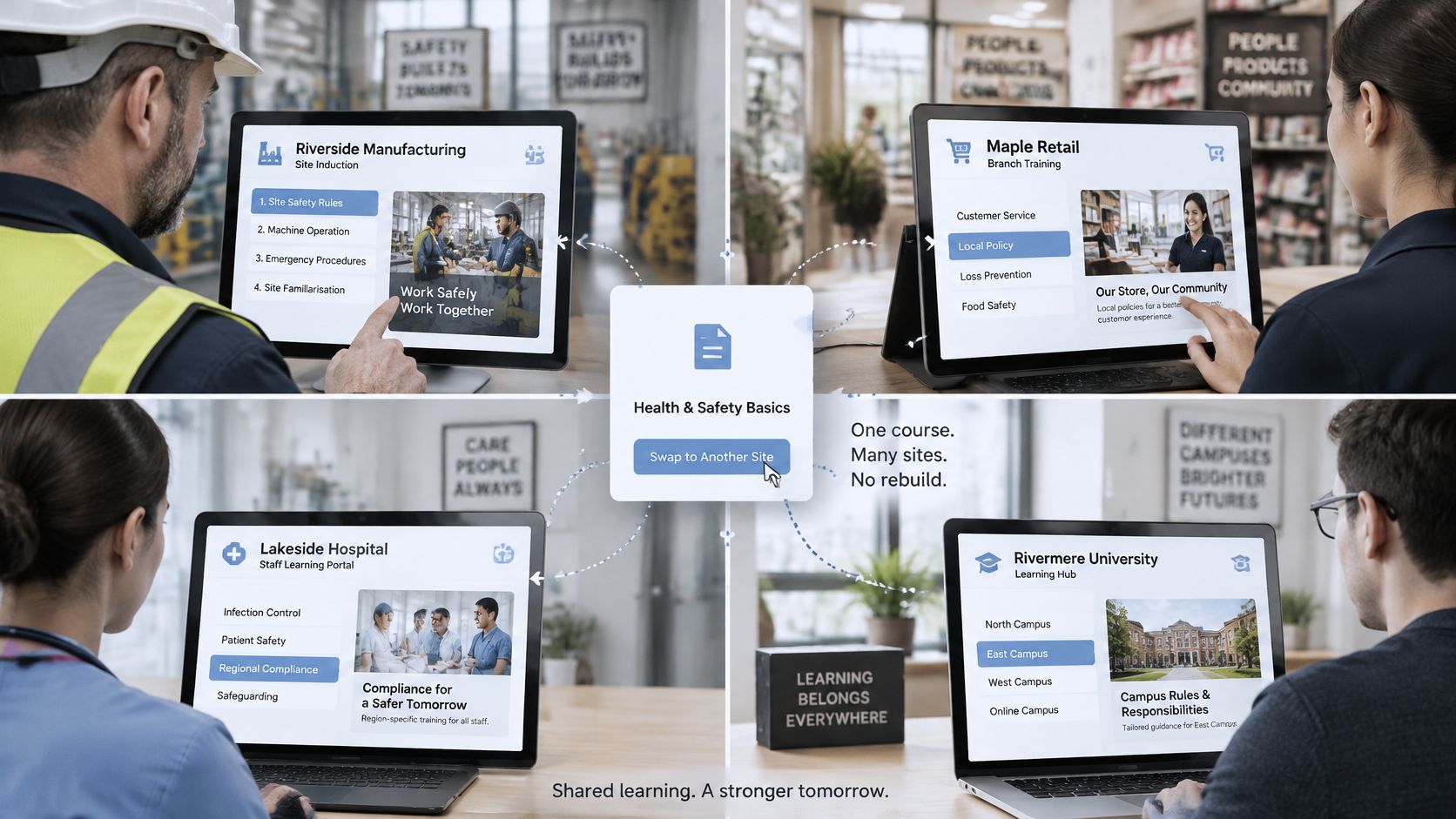
The image below shows the kind of shared platform view multi-site teams work from, where one course structure serves different locations.
Four cases, four stresses
A manufacturing induction often uses one consistent visual world across sites, with procedures that differ by plant. The player must swap a site-specific unit inside the same learning path, so a change to one line's process doesn't trigger a rebuild for every location. Consistency helps learners recognise the format. The swappable unit keeps the content true.
A construction HSEQ refresher has the opposite pressure. Subcontractors join for a project and leave the roster when the job ends. Their access should end, but their historical completions must stay exportable for the client and for any later investigation. If your platform deletes the record with the account, you've lost evidence exactly when you may need it most.
A hospitality or contact-centre module needs practice, not just viewing. The learner speaks through a realistic scenario, perhaps a difficult guest conversation, and the system stores that attempt alongside the video watched. Managers can then see how someone handled the exchange, not merely that they pressed play. eLearning localisation services also matter, because a scenario that sounds right in one market can ring false in another.
A provider serving the UK, Ireland, the US and Australia can't rely on a single legal script. Each country updates health, safety and reporting rules on its own calendar. Localisation means law, terminology and examples, not subtitles laid over the wrong rule. A translated caption carrying another country's duty or reporting route is worse than an untranslated course, because it looks authoritative.
The short video below walks through how a finished course is prepared for a customer's platform.
| Check | Action | Failure prevented |
|---|---|---|
| Export records | Pull completions, scores and certificates before cutover | Lost evidence on the old platform |
| Map course IDs | Link each old course ID to its new ID | Duplicate or orphaned assignments |
| Freeze enrolments | Pause new assignments for a short window | Learners enrolled on a course mid-move |
| Version note | Record version and legal trigger on each unit | Full re-enrolment for a single rule change |
| Localise law | Swap law, terminology and examples per country | Subtitles carrying the wrong rule |
Run those checks before cutover, not after complaints arrive. Don't make staff repeat a valid course because the new system can't read the old record. That's the difference between a video upload, which strands you at the next rule change, and a course that still carries its script, objectives and editable media into whichever platform comes next.
Commission the Course and Embed It
You can make the right decision this week, and it's simpler than a platform comparison. Ask which problem you have.
If there's no platform, shortlist against the criteria you've already set and refuse features your smallest site won't administer. A long feature list you can't staff becomes a set of empty shelves within a quarter. If a platform is already live, stop shopping. Fill the empty shelf instead. Find the procedure, risk assessment or policy that changed and still has no assigned module, and start there. That's the gap an auditor will find before they admire your dashboard.
The production handoff
Only after that choice does commissioning make sense. With our eLearning content development work, you send a brief and we build and curate a bespoke course aimed at your business, not a generic library title with your logo on it. Our aim is structured learning that reflects your people and operating reality.
The practical details get agreed early, while they're still cheap to change. Clients discuss their LMS platform and required format with us, and packaging for the finished course and any interactive learning is agreed as part of the relevant Premium scope. Premium prepares the course for embedding in your LMS or learning platform. It can include role-play scenarios shaped around your workplace and course content, plus final polish across visuals, narration and learning flow.
Our process has four steps. Share the need, shape the course, build the experience, and review and deliver. That order matters because format, pass mark and version label belong in the shaping step, not in a scramble after the media is finished.
Bring one live procedure that changed in the last quarter. Put the platform owner and the training owner in the same conversation, and agree the format before production starts.
That single conversation prevents most of the failures covered here. The platform owner confirms what the player accepts and what the report must show. The training owner confirms who it's for and what competence looks like. Production then builds to both answers, and the course lands in your LMS ready to assign, track and update.
If your LMS is live but the shelves are empty, or your current courses can't be updated when a rule changes, we can build a bespoke course from your brief, shaped to your roles and prepared for embedding in your platform. Bring the procedure that changed most recently and we'll scope the format, pass mark and version with you. Visit Loresson to start that conversation.